Angular Signal Forms: The New formRoot Directive Explained
Form submission in Angular Signal Forms has always required a bit of manual wiring: a submit handler, preventDefault, and an explicit call to submit(). It works, but it doesn't feel fully Angular. Starting in Angular 21.2-next.3, the new formRoot directive changes that. It makes form submission completely declarative, moves submission logic into the form itself, and eliminates the remaining boilerplate. This post walks through exactly how it works and how to migrate an existing Signal Form in about 60 seconds.
Signal Forms Submission Before formRoot
Here’s the starting point, a simple signup form with a username and email field:

The submit button is disabled until the form is valid:

Once both fields are filled in with valid values, the button enables:
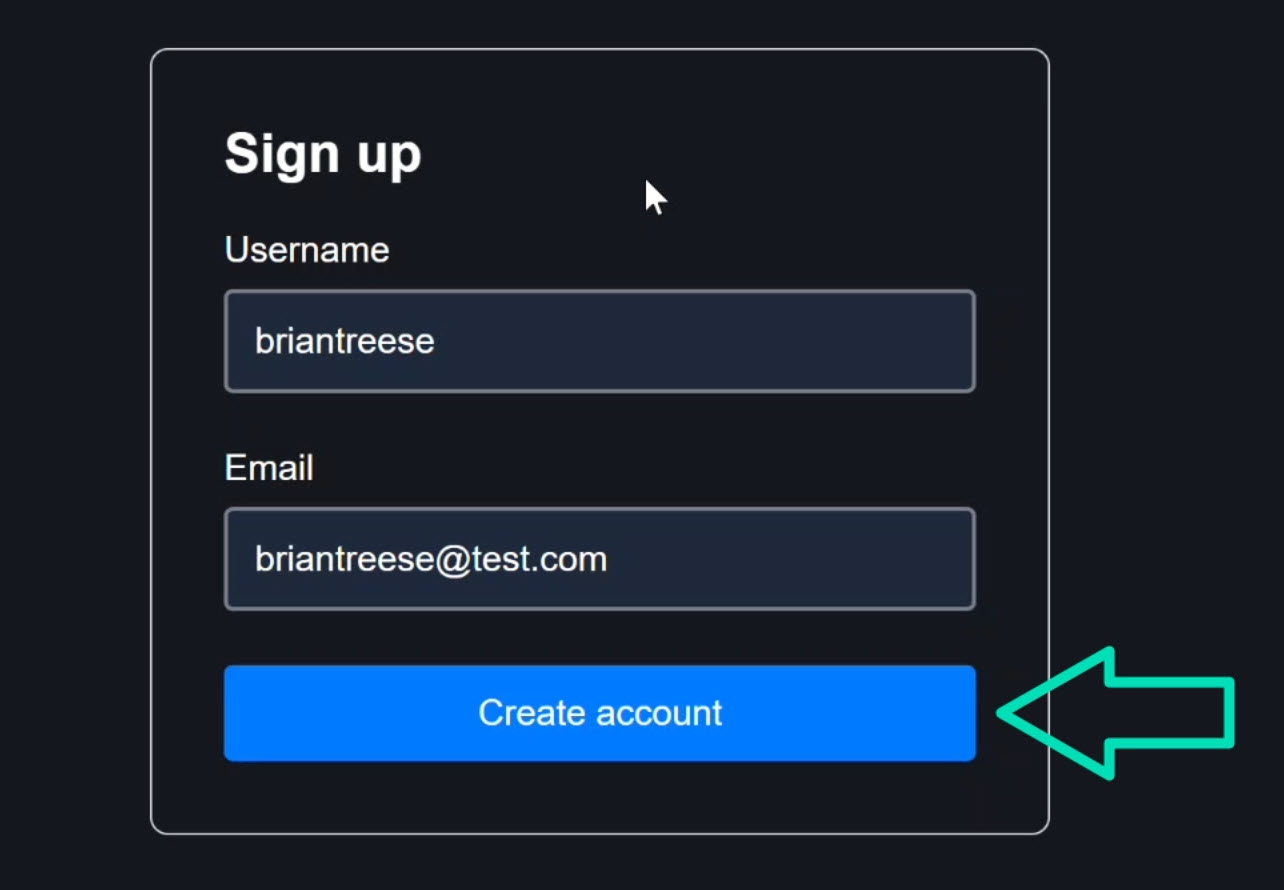
After we submit the form, in the console, we can see the dirty status, form value, and the model signal value:
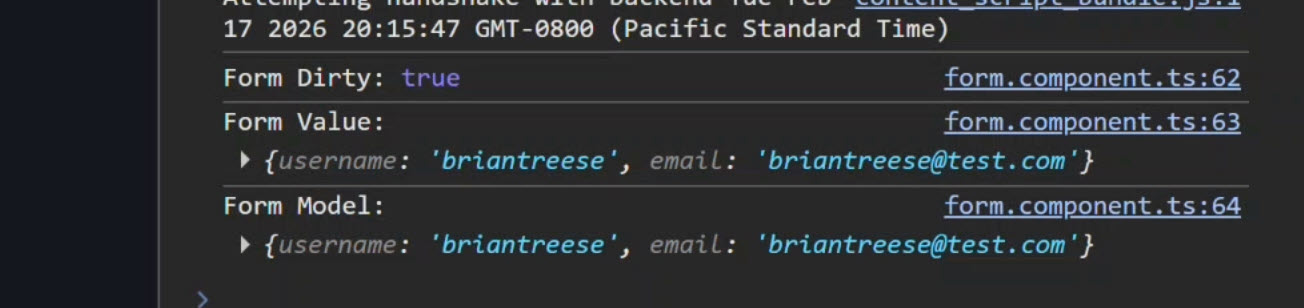
Everything works, but the amount of manual wiring required just to submit the form isn’t ideal.
Manual Form Submission in Signal Forms (The Old Way)
In the template, form submission requires two manual pieces:
<form (submit)="onSubmit($event)" novalidate>
    ...
</form>
The (submit) binding wires up a custom method and passes along the event.
The novalidate attribute disables the browser’s built-in validation so Signal Forms can handle it instead.
Without it, the browser could show its own popup messages that would conflict with our form validation logic.
This is what we’ll be changing in this tutorial.
But just to make sure we understand all aspects of this form before changing it, each input uses the formField directive to connect to the Signal Form:
<input
    id="username"
    type="text"
    [formField]="form.username" />
...
<input
    id="email"
    type="email"
    [formField]="form.email" />
And the submit button triggers submission:
<button type="submit" [disabled]="form().invalid() || form().submitting()">
    @if (form().submitting()) {
        Creating…
    } @else {
        Create account
    }
</button>
Pretty straightforward stuff.
Now let’s look at the TypeScript for this component.
Component TypeScript
In the component class, the form is constructed with a model signal and validation rules:
export interface SignupModel {
	username: string;
	email: string;
}

const INITIAL_VALUES: SignupModel = {
	username: '',
	email: '',
};

protected readonly model = signal<SignupModel>(INITIAL_VALUES);

protected readonly form = form(
    this.model,
    s => {
        required(s.username, { message: 'Please enter a username' });
        minLength(s.username, 3,
            { message: 'Your username must be at least 3 characters' });
        required(s.email, { message: 'Please enter an email address' });
    }
);
This is the key piece driving everything we just saw in the browser.
Then the submit handler wires everything together:
protected onSubmit(event: Event) {
    event.preventDefault();

    submit(this.form, async f => {
        const value = f().value();
        const result = await this.signupService.signup(value);

        if (result.status === 'error') {
            const errors: ValidationError.WithOptionalFieldTree[] = [];

            if (result.fieldErrors.username) {
                errors.push({
                    fieldTree: f.username,
                    kind: 'server',
                    message: result.fieldErrors.username,
                });
            }

            if (result.fieldErrors.email) {
                errors.push({
                    fieldTree: f.email,
                    kind: 'server',
                    message: result.fieldErrors.email,
                });
            }

            return errors.length ? errors : undefined;
        }

        console.log('Form Dirty:', this.form().dirty());
        console.log('Form Value:', this.form().value());
        console.log('Form Model:', this.model());
        return undefined;
    });
}
preventDefault stops the browser from refreshing the page.
If we didn’t include this, the browser would perform a full page refresh which would wipe out our app state.
The submit() call from the Signal Forms API marks fields as touched, runs validation, and executes the submission logic.
If everything succeeds, we log the dirty status, form value, and model signal value to the console.
It works, but there are several pieces that require manual wiring just to submit the form.
The new formRoot directive eliminates some of it.
Angular formRoot Directive Explained (Signal Forms)
Starting in Angular 21.2-next.3, the FormRoot directive is now available from @angular/forms/signals.
Step 1: Add FormRoot to the Component Imports
import { ..., FormRoot } from '@angular/forms/signals';

@Component({
    selector: 'app-form',
    imports: [..., FormRoot],
    ...
})
Step 2: Update the Template
Here we remove the (submit) binding and novalidate attribute and replace them with the formRoot directive:
<form [formRoot]="form">
    ...
</form>
This directive handles both of these automatically.
That’s the only template change needed.
Angular now handles submission automatically.
formRoot prevents default browser submission behavior internally and connects the DOM form to the Signal Form model.
Step 3: Move Submission Logic Into the Form
The key shift is that submission logic now lives directly inside the form definition instead of in a separate event handler.
This makes the form self-contained and removes the need for manual submission wiring in the template.
This is done with a third argument on the form() function containing a submission property.
We can essentially move everything from the submit() function in the onSubmit() method here:
protected readonly form = form(
    this.model,
    s => { ... },
    {
        submission: {
            action: async f => {
                const value = f().value();
                const result = await this.signupService.signup(value);

                if (result.status === 'error') {
                    const errors: ValidationError.WithOptionalFieldTree[] = [];

                    if (result.fieldErrors.username) {
                        errors.push({
                            fieldTree: f.username,
                            kind: 'server',
                            message: result.fieldErrors.username,
                        });
                    }

                    if (result.fieldErrors.email) {
                        errors.push({
                            fieldTree: f.email,
                            kind: 'server',
                            message: result.fieldErrors.email,
                        });
                    }

                    return errors.length ? errors : undefined;
                }

                console.log('Form Dirty:', this.form().dirty());
                console.log('Form Value:', this.form().value());
                console.log('Form Model:', this.model());
                return undefined;
            }
        }
    }
);
The old onSubmit() method can now be removed entirely.
The formRoot directive connects the DOM <form> element to the Signal Form model declaratively.
When the form is submitted, Angular automatically calls the configured submission.action callback.
This mirrors how formGroup connects a DOM <form> to a FormGroup in Reactive Forms.
formRoot in Action: Same Result, Less Code
After saving, the form looks exactly the same:

And when we submit the form, we see the same console output:
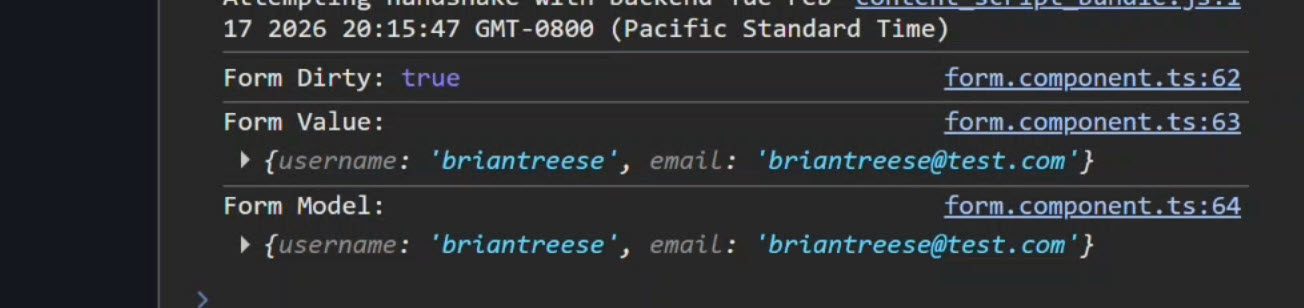
Everything works exactly the same, but with a little less code now.
At this point, I think there’s one more improvement we can make.
Resetting Signal Forms After Submission
After submission, the form keeps its values by default.
To clear the fields and reset form state, we’ll call reset() inside the submission action:
protected readonly form = form(
    this.model,
    s => { ... },
    {
        submission: {
            action: async f => {
                ...

                console.log('Form Dirty:', this.form().dirty());
                console.log('Form Value:', this.form().value());
                console.log('Form Model:', this.model());

                f().reset();

                console.log('Form Dirty:', this.form().dirty());
                console.log('Form Value:', this.form().value());
                console.log('Form Model:', this.model());

                return undefined;
            }
        }
    }
);
This resets the form to its initial state.
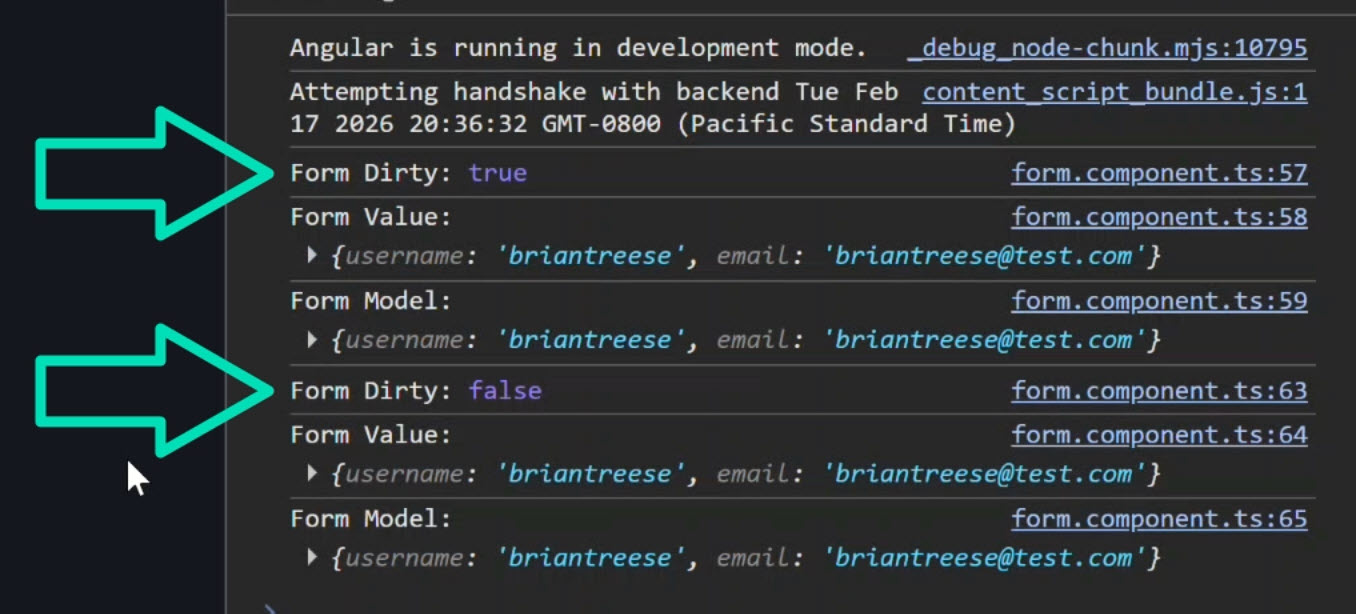
We’ve also added more logs to see the final state of the form and model signals after it’s been reset.
Now, after we save the form and submit again, it almost looks like nothing changed.
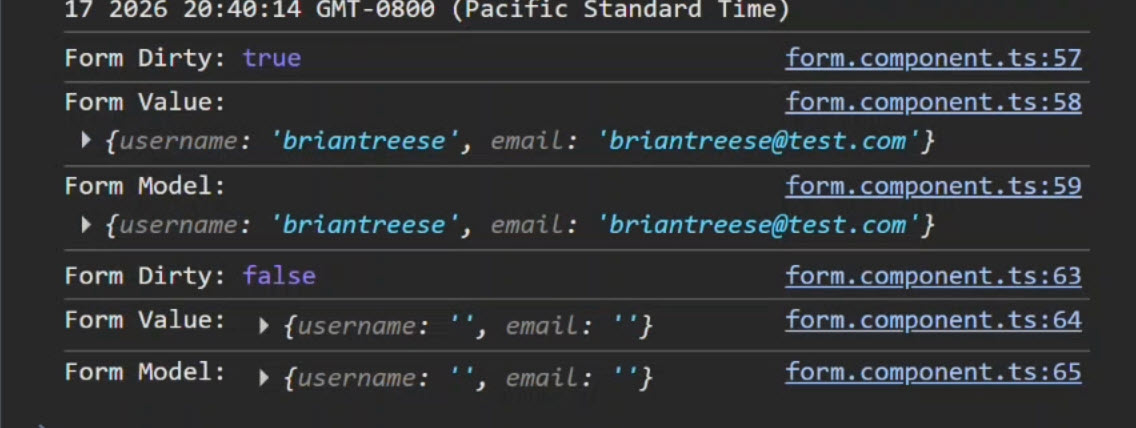
But if we look closely at the console, we can see that the dirty status actually changed from true to false:
What if we also want to reset the form and model value?
Well, this is pretty easy to do now.
How to Reset Form State AND Model Signal
According to the Signal Forms docs, reset() does several things.
First, it says that this resets the touched and dirty states of the field and its descendants.

And then, optionally we can pass a value to reset the value of the form, which we didn’t and that’s why the value remained the same:

It also mentions that it does not change the data model, it needs to be reset directly, meaning that we need to manually reset the model signal back to its initial value

Kinda clunky… but ok.
So calling reset() alone will correctly reset dirty to false, but the form fields will still show their submitted values.
To reset the actual field values, we need to pass the initial data to reset():
protected readonly form = form(
    this.model,
    s => { ... },
    {
        submission: {
            action: async f => {
                ...
                f().reset(INITIAL_VALUES);
                ...
            }
        }
    }
);
Passing a value to reset() resets both the form fields back to their initial values.
Now, what I found during testing is that this appears to handle the model signal automatically now too.
No need to reset the model signal separately.
This appears to be an intentional improvement in recent Angular releases.
And now after submitting, the fields clear out and both the form value and model signal return to their initial empty state:
Why formRoot Is Probably the New Recommended Pattern
The formRoot directive removes the last piece of manual boilerplate from Signal Forms submission.
Declaring submission logic inside the form rather than in a separate method keeps everything in one place, which is easier to read and easier to test.
You can still use the submit() function directly when you need fine-grained control, but for most forms, formRoot is the cleaner path forward.
It also aligns Signal Forms more closely with Angular’s existing Reactive Forms mental model, where directives like formGroup declaratively connect the DOM to the form model.
formRoot follows the same idea.
If this helped you, be sure to subscribe for more deep dives into modern Angular features.