Angular 21.2 New Feature: Arrow Functions in Templates (With Gotchas)
If you've ever created a method just to call update() on a signal, this one's for you. Writing signal updates directly in component templates used to be impossible, but as of Angular 21.2-next, arrow functions are now allowed in Angular templates! This change lets you write signal transitions exactly where they happen, making templates more expressive and eliminating unnecessary wrapper methods. But while it's incredibly powerful, there are a few caveats you absolutely need to understand.
Order Summary Demo Built with Angular Signals
Here’s a basic order summary application that we’ll be using throughout this example:
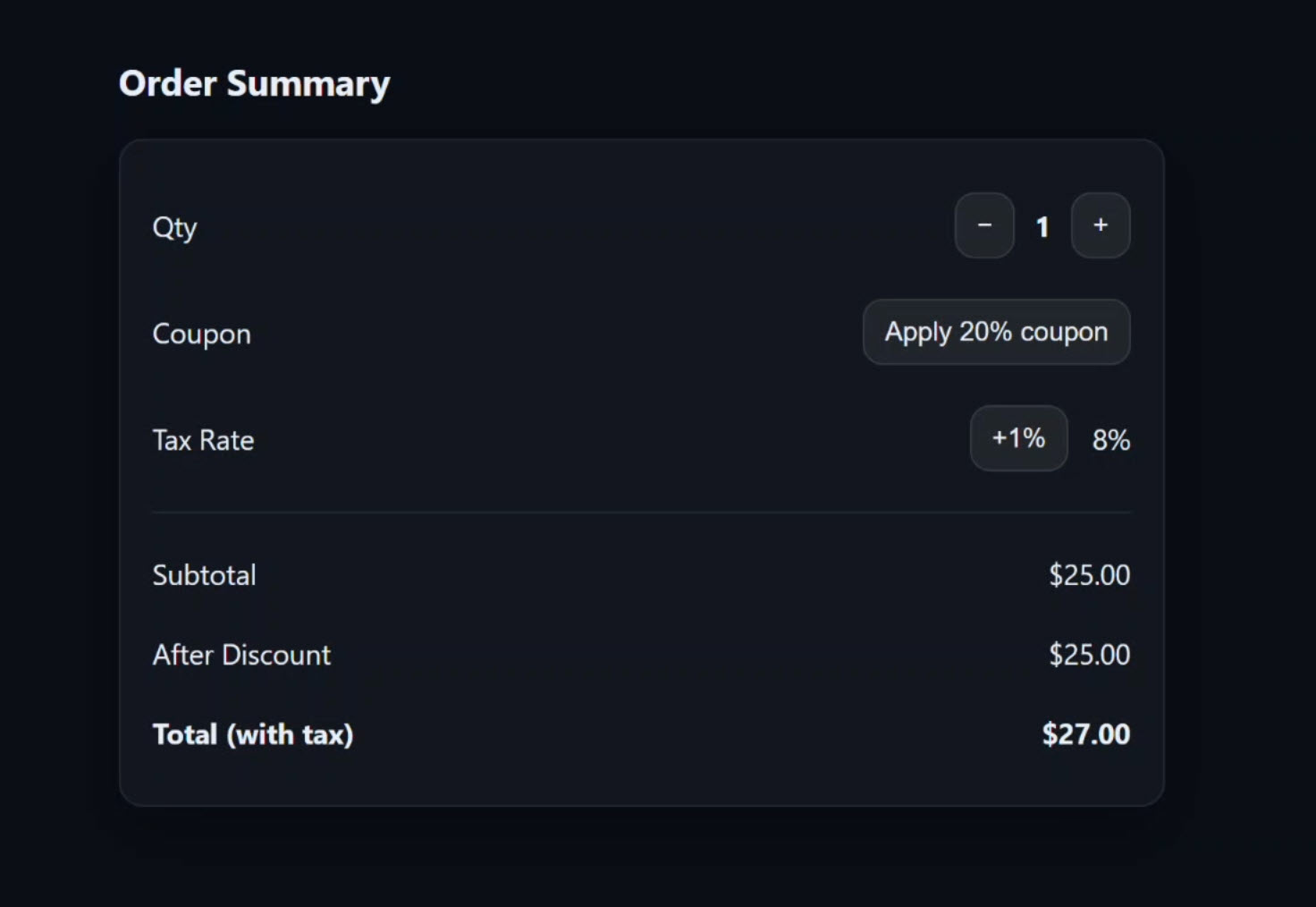
We have a quantity control to adjust the quantity, a button to add a discount coupon, and another button to increase the tax rate.
When we use any of these buttons, we can see the totals at the bottom adjust in real-time:
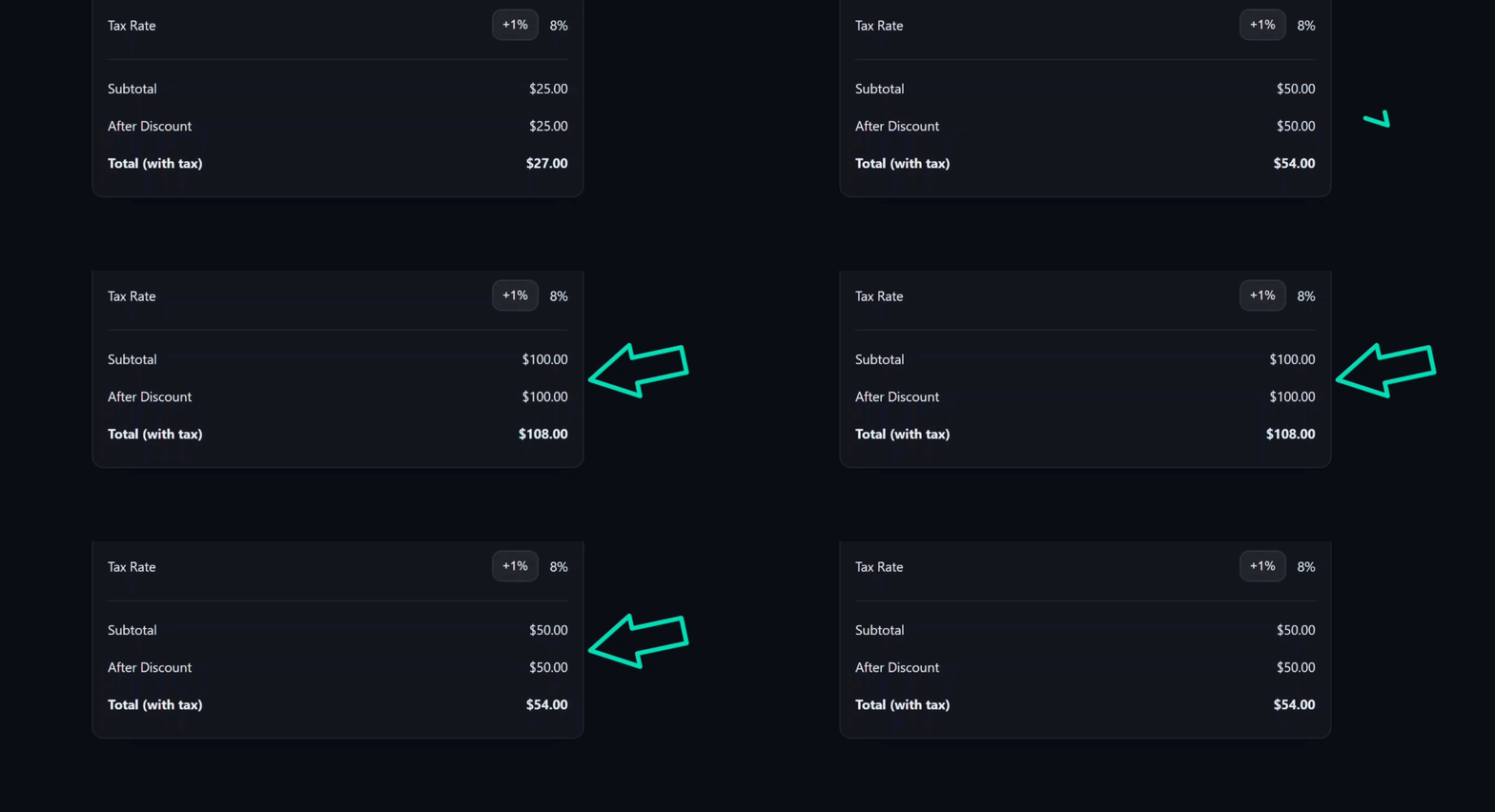
Pretty basic stuff, all handled with signals.
Now let’s look at the code behind all of this.
The Old Way: Before Arrow Functions in Templates
Let’s start with the template for this component.
The buttons used to adjust the quantity look like this:
<button type="button" (click)="decrementQty()">−</button>
<strong>{{ qty() }}</strong>
<button type="button" (click)="incrementQty()">+</button>
For the decrement button we have a decrementQty() function, and for the increment button we have an incrementQty() function.
Then, for the coupon button, same thing, we have a toggleCoupon() function:
<button type="button" (click)="toggleCoupon()">
  {{ couponOn() ? 'Remove 20% coupon' : 'Apply 20% coupon' }}
</button>
And, same thing with the tax rate button:
<button type="button" (click)="increaseTax()">+1%</button>
So each button has its own function.
Now let’s switch over to the TypeScript to see what these functions do.
Here are all four of these functions:
protected incrementQty() {
  this.qty.update(n => n + 1);
}

protected decrementQty() {
  this.qty.update(n => (n > 0 ? n - 1 : 0));
}

protected toggleCoupon() {
  this.couponOn.update(v => !v);
}

protected increaseTax() {
  this.taxRate.update(r => r + 0.01);
}
Each of them simply updates a signal value using the update() method.
Essentially, they exist for one reason: because we aren’t able to use arrow functions in templates.
If we were just calling set(), but update() requires a function.
However, now as of Angular 21.2-next.0, we can actually use arrow functions in the template!
So let’s modernize this!
Angular 21.2: Using Arrow Functions Directly in Templates
First, we can delete all of those wrapper functions since they’re not needed anymore.
Then, back in the HTML, let’s update these buttons.
Let’s start with the decrement button.
Instead of the old function, I’m going to add the signal update() method right here in the template.
Before:
<button type="button" (click)="decrementQty()">−</button>
After:
<button type="button" (click)="qty.update(n => n > 0 ? n - 1 : 0)">−</button>
We’re passing a function to the update() method, and that function receives the previous value.
That’s what n is. It’s the current quantity.
Then, we’re returning the new value.
Now let’s do the increment button.
Before:
<button type="button" (click)="incrementQty()">+</button>
After:
<button type="button" (click)="qty.update(n => n + 1)">+</button>
That’s it. No wrapper method needed.
Now let’s convert the coupon button.
Before:
<button type="button" (click)="toggleCoupon()">
  {{ couponOn() ? 'Remove 20% coupon' : 'Apply 20% coupon' }}
</button>
After:
<button type="button" (click)="couponOn.update(v => !v)">
  {{ couponOn() ? 'Remove 20% coupon' : 'Apply 20% coupon' }}
</button>
Instead of the old method, we use the signal and the update() method directly.
Same idea here, v is the previous boolean value. We just flip it when the button is clicked.
Now we just need to update the increase tax button.
Before:
<button type="button" (click)="increaseTax()">+1%</button>
After:
<button type="button" (click)="taxRate.update(r => r + 0.01)">+1%</button>
Instead of the old method again, we just use the update() method.
Alright, let’s save and make sure everything still works:
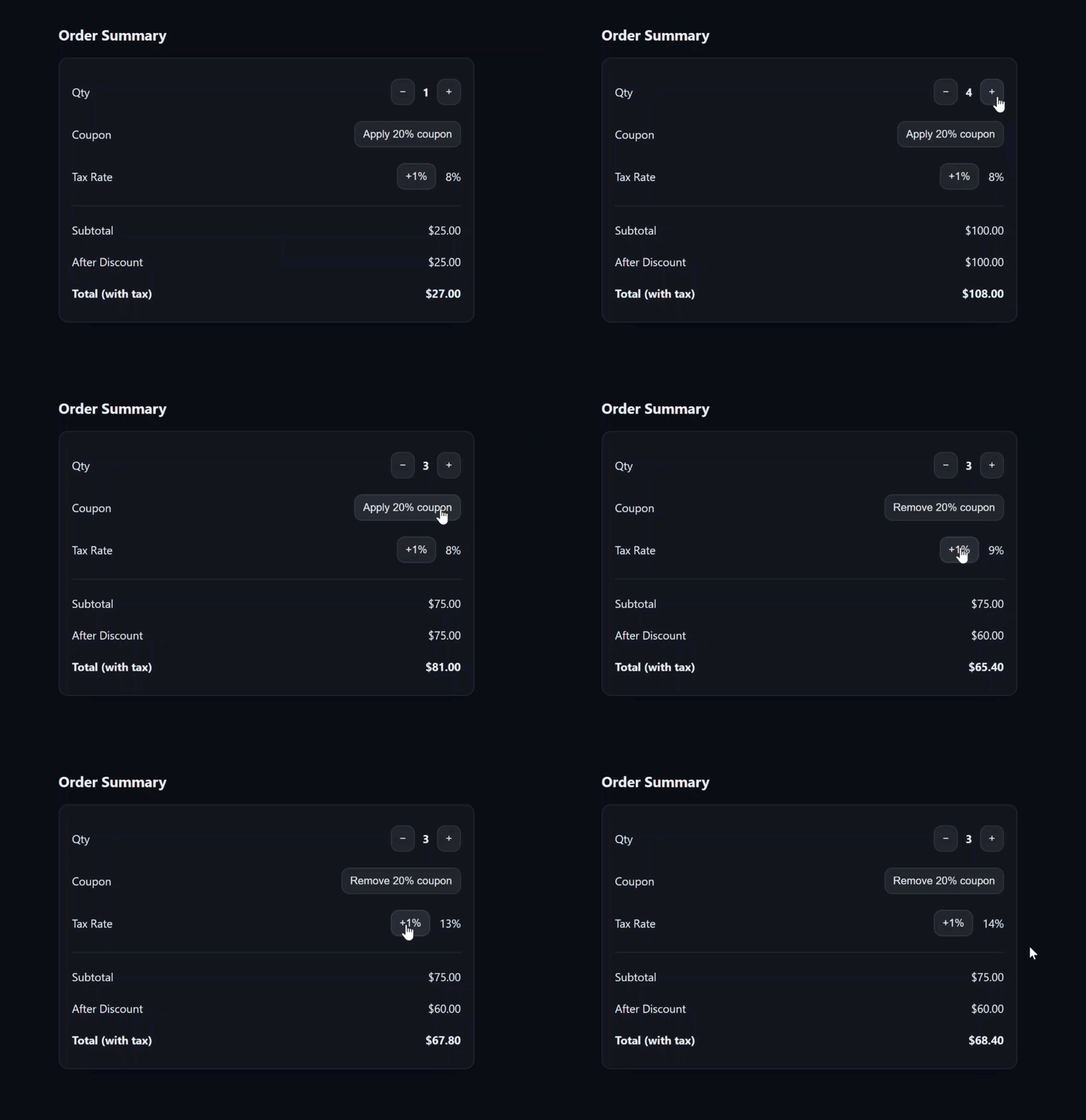
Okay, it all looks the same to start, and when I change the quantity, discount, and tax rate, everything still works.
Pretty cool right?
The fact that the only way I could use the update() function was in the TypeScript has definitely bothered me in the past, so I’m pretty stoked on this update.
This is the real power here.
That’s four methods deleted, four fewer things to name, four fewer things to test, and four fewer places for bugs to hide.
Now, while this is awesome, arrow functions in templates do have some constraints.
Let’s look at one.
Angular Template Mistake: Accidentally Returning a Function
This will probably be a rare mistake to make, but you need to be careful not to accidentally return a function in your event handler like this:
<!-- ❌ Wrong: This compiles but does nothing -->
<button type="button" (click)="() => qty.update(n => n + 1)">+</button>
This compiles… but it does nothing because we’re just returning a function.
An easy way to avoid this is to only use simple arrow functions in the template.
If it’s more than 5 to 7-ish lines, it probably belongs in the TypeScript.
Okay, now let’s look at something you’re more likely to encounter.
Angular Error: Object Literals Must Be Wrapped in Parentheses
Here, I’ve now changed this example around a little so that the tax rate is now part of a settings object instead of its own signal:
protected readonly settings = signal<SummarySettings>({
  taxRate: 0.08,
  // ... other settings
});
And our “total” computed signal now uses this in its calculation too:
protected readonly total = computed(() =>
  this.discounted() * (1 + this.settings().taxRate)
);
So now let’s update the tax rate in the template using this settings object signal.
Right now, our event handler is empty:
<button type="button" (click)="">+1%</button>
So let’s update the settings signal using the update() method:
<button type="button" (click)="settings.update(s => { taxRate: s.taxRate + 0.01 })">+1%</button>
The tax rate will be set using the current tax rate value and adding 0.01 to it.
Okay that should be it right?
Let’s save and try it out:
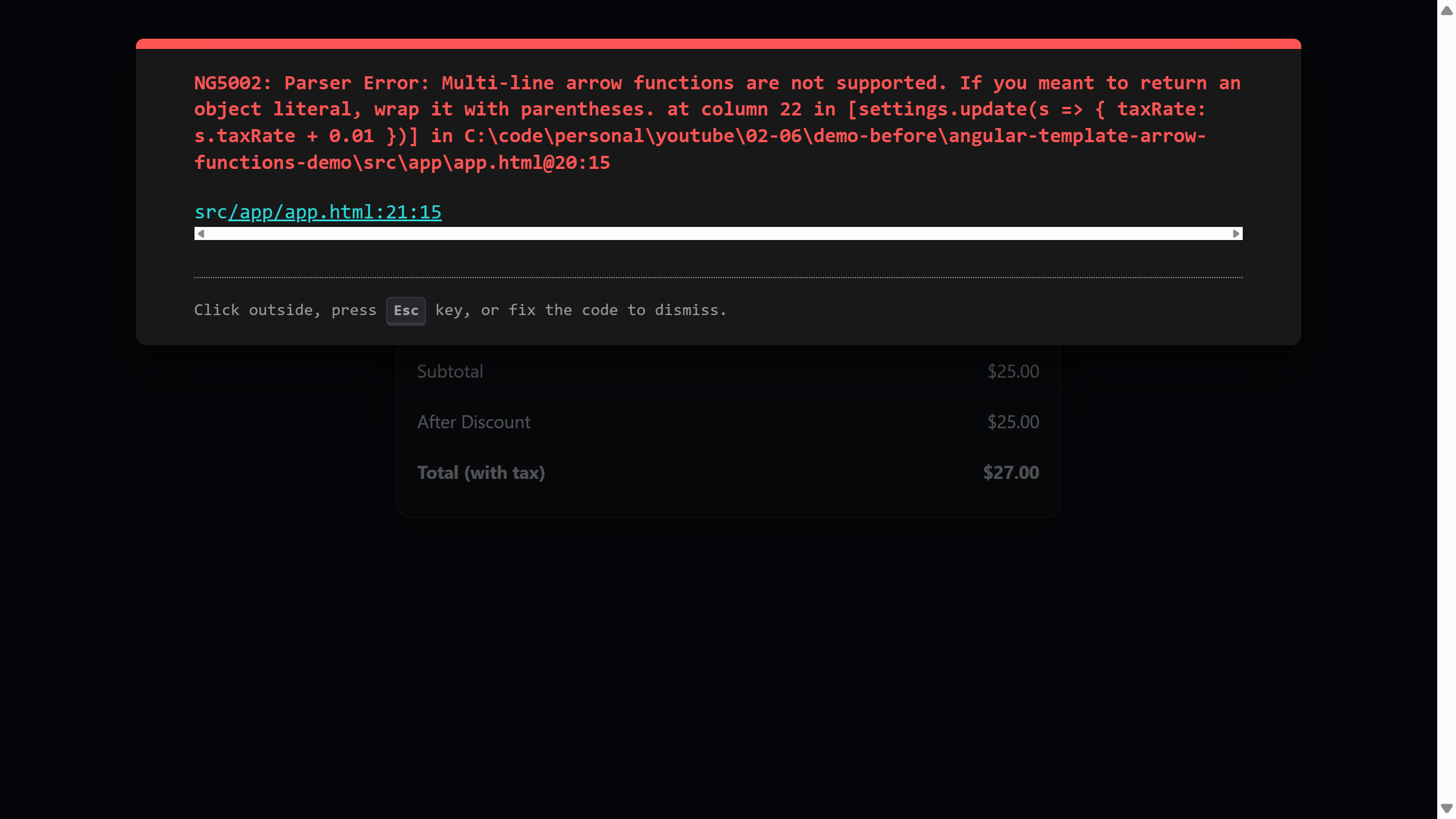
Oops, looks like we have an error.
And if we read it closely we can see that it’s telling us exactly what the problem is.
If we’re using an object literal, we need to wrap it with parentheses.
This is because in JavaScript, curly braces after an arrow indicate a function body, not an object literal.
Angular templates only allow implicit returns.
That means the arrow function must evaluate to a single expression.
So Angular thinks you’re writing a block and blocks aren’t supported here.
So the fix is simple, we just need to add parentheses.
Before (Error):
<button type="button" (click)="settings.update(s => { taxRate: s.taxRate + 0.01 })">+1%</button>
After (Fixed):
<button type="button" (click)="settings.update(s => ({ taxRate: s.taxRate + 0.01 }))">+1%</button>
Now let’s look at another constraint.
Angular Pipes and Arrow Functions: What Works and What Breaks
We have to be careful when using pipes with arrow functions.
We’re going to calculate shipping cost based on distance.
Let’s add a new row:
<div class="row">
  <span>Shipping (100 miles)</span>
</div>
I’ll give it a label denoting that it’s based on 100 miles.
We’ll just need to imagine that this 100 mile distance would be a dynamic value that could be anything.
It could be 5 miles, 500 miles, 2000 miles, it could be anything but here we’ll just be using a static value of 100.
Okay, now I’ll add an arrow function to calculate this value:
<div class="row">
  <span>Shipping (100 miles)</span>
  <span>{{ ((dist, rate) => dist * rate | currency)(100, 0.05) }}</span>
</div>
We have a distance (dist) and rate parameter.
Then we return the distance times the rate.
We also use the currency pipe to format the value.
Next, we immediately call this function passing it our static 100 mile value and a rate of 0.05.
Okay, now let’s save and try this out:
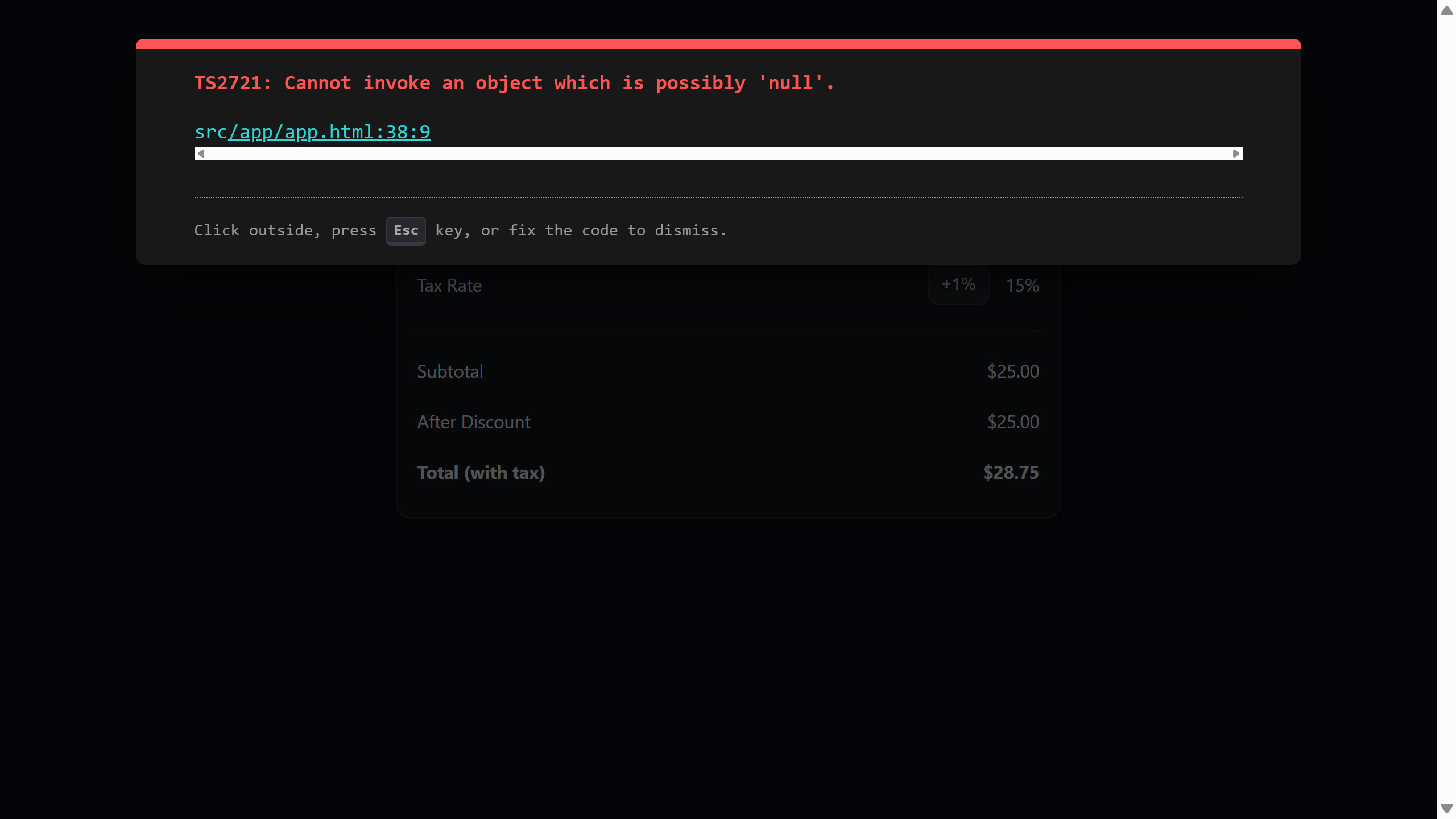
Oops, we’ve got an error again now. But why?
Well, this time it’s because pipes are Angular template syntax, not JavaScript.
The arrow function body must be valid JavaScript, and the pipe operator isn’t JavaScript.
So the rule is you cannot use pipes inside arrow bodies.
You must instead apply the pipe to the result of the arrow function.
This means, we just need to move it outside:
Before (Error):
<span>{{ ((dist, rate) => dist * rate | currency)(100, 0.05) }}</span>
After (Fixed):
<span>{{ ((dist, rate) => dist * rate)(100, 0.05) | currency }}</span>
So…
- We can only have implicit returns with arrow functions in the template.
- Object literals must be wrapped in parentheses
- Pipes cannot live inside arrow function bodies
When to Use Arrow Functions in Angular Templates
This is one of those changes that seems small until you start removing code.
It lets us write signal transitions exactly where they happen.
It makes our templates more expressive and our overall logic simpler.
But it also forces us to understand the difference between Angular template syntax and JavaScript expressions.
If you’re building modern Angular apps using signals, this change definitely matters.
If this helped you, be sure to subscribe and leave a comment, it really helps other Angular developers find this content.