Angular’s New debounced() Signal Explained
Every Angular developer has faced it, an input that spams the backend with every single keystroke. The classic solution involves pulling in RxJS and using debounceTime, but it requires converting signals to observables and thinking in streams. As of Angular v22, there’s a new, cleaner way. The new experimental debounced() signal primitive lets you solve this problem in a more declarative, signal-native way. This post walks through the old way and then refactors it to the new, showing you exactly how to simplify your async data-fetching logic.
The Problem: Too Many API Requests
Let’s start with a simple product search app:
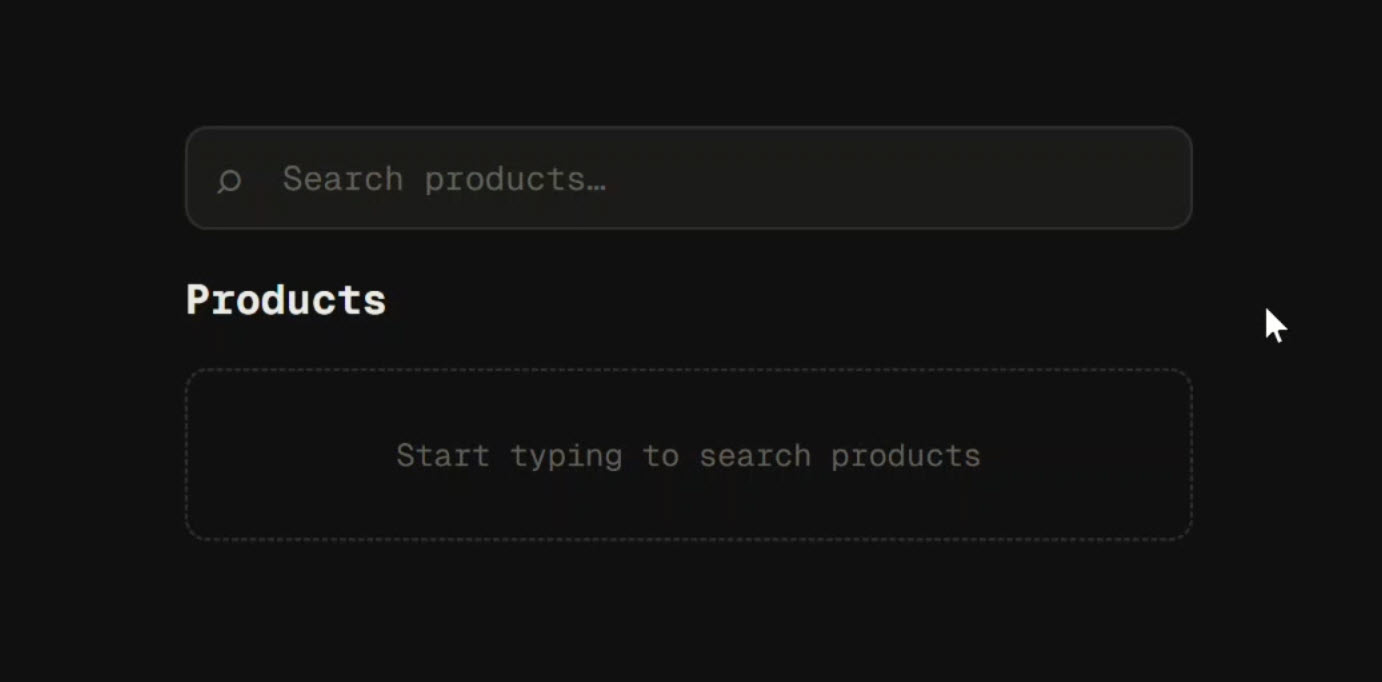
It looks fine on the surface, but the real story is in the Network tab:
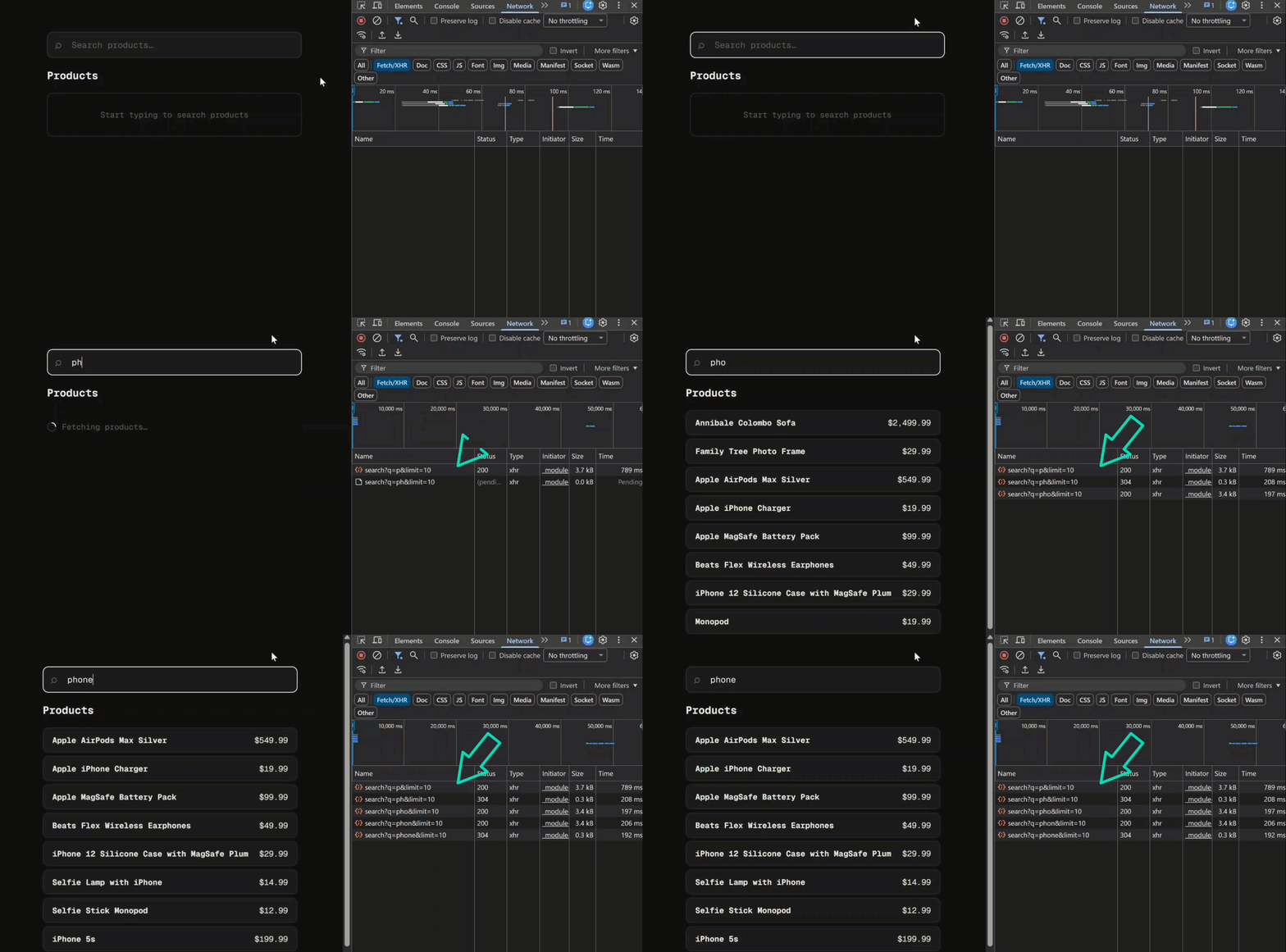
As you type a search term you can see a new HTTP request firing for each character typed.
In a real-world application, this is a ton of unnecessary load on your backend and can create a jumpy, unpleasant user experience.
This is the classic problem we need to solve.
The Old Way: Debouncing with RxJS debounceTime
Our initial component uses a mix of signals and RxJS.
We have a query signal that holds the search term, which is converted to an observable using toObservable.
The products are then loaded inside a toSignal block that pipes the query observable through several RxJS operators:
private http = inject(HttpClient);
protected readonly query = signal('');
private readonly $query = toObservable(this.query);

protected readonly products = toSignal(
  this.$query.pipe(
    distinctUntilChanged(),
    switchMap(query =>
      query
        ? this.http.get(/* ... */).pipe(
            map(res => ({ status: 'data' as const, data: res.products })),
            startWith({ status: 'loading' as const, data: [] as Product[] }),
            catchError(() => of({ status: 'error' as const, data: [] as Product[] }))
          )
        : of({ status: 'idle' as const, data: [] as Product[] })
    )
  ),
  { initialValue: { status: 'idle' as const, data: [] as Product[] } }
);
The traditional fix is to add the debounceTime operator to the pipe.
It’s a one-line change that tells RxJS to wait for a pause in emissions (e.g., 1000ms) before letting the value proceed:
this.$query.pipe(
  debounceTime(1000), // Wait for 1 second of silence
  distinctUntilChanged(),
  switchMap(query => /* ... */)
)
This works perfectly:
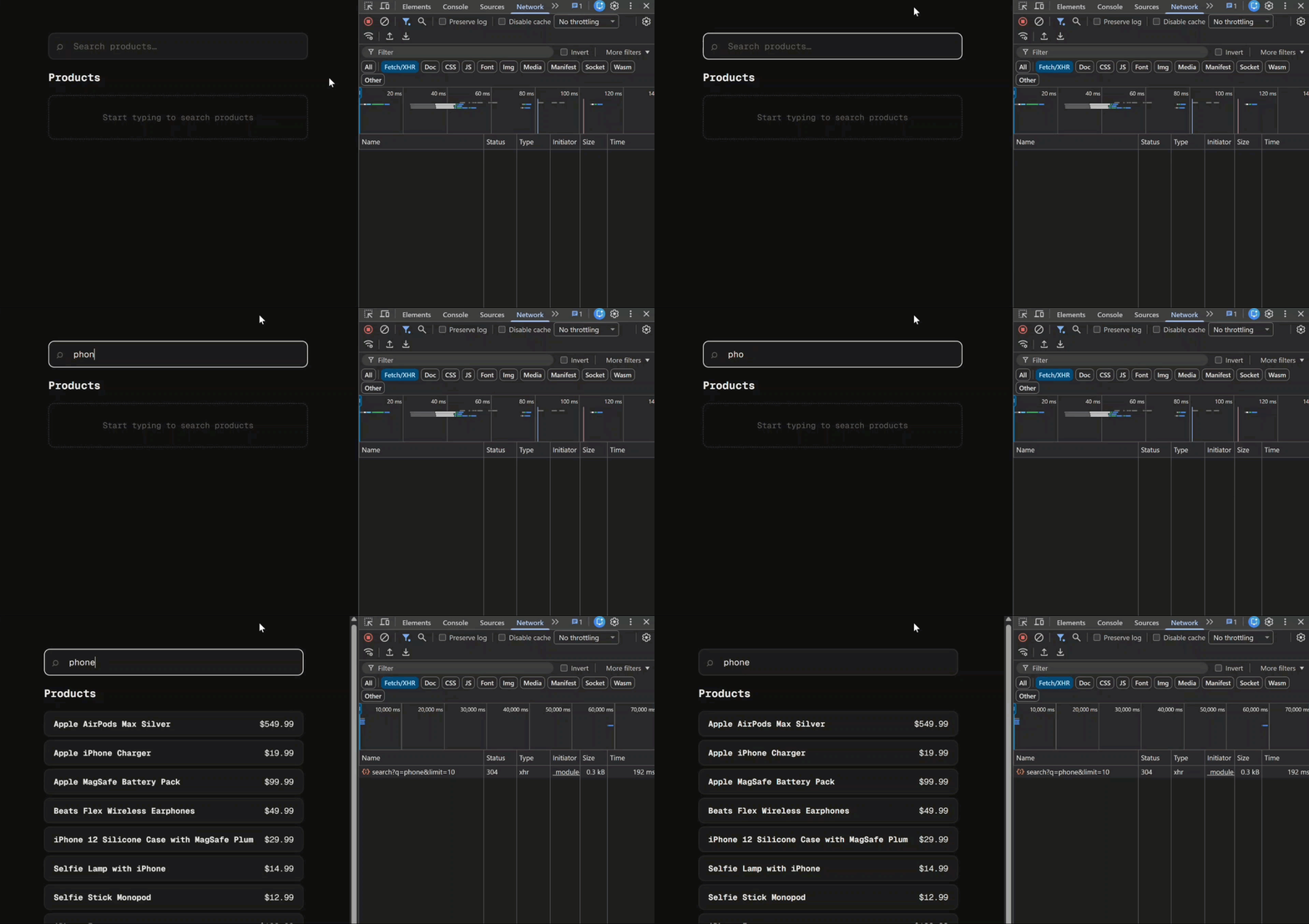
The network spam stops, and only one request is sent after the user stops typing.
But it forces us into the RxJS world of observables and pipes, even if the rest of our app is signal-first.
What if we could stay in the world of signals?
Well, as of Angular v22, we will be able to!
The New Way: debounced() and resource() in Angular v22
The Angular team has introduced a new experimental primitive, debounced, and it can work together with resource to solve this exact problem elegantly.
Step 1: Create a Debounced Signal
First, we’ll create a new signal that is a debounced version of our original query signal.
The debounced() function from @angular/core makes this trivial.
import { ..., debounced } from '@angular/core';

// ...
protected readonly query = signal('');
protected readonly debouncedQuery = debounced(this.query, 1000);
That’s it. debouncedQuery is now a read-only signal that will only update its value when the query signal has been stable for 1000 milliseconds.
Step 2: Refactor to Use resource()
Next, we’ll completely replace our toSignal implementation with the new resource() primitive.
resource is purpose-built for loading asynchronous data from a signal.
We can delete the entire products signal and its toSignal block and replace it with this:
import { ..., resource } from '@angular/core';

// ...
protected readonly products = resource({
  params: () => this.debouncedQuery.value() || undefined,
  loader: ({ params }) =>
    firstValueFrom(
      this.http.get<{ products: Product[] }>(/* ... */)
    ).then(res => res.products),
});
Let’s break this down:
params: A function that returns the current search query from the debounced signal (this.debouncedQuery.value()), orundefinedif the query is empty. When this value changes, the resource automatically re-fetches.loader: A function that receives the resolvedparamsand fetches data using Angular’sHttpClient. BecauseHttpClientreturns an Observable,firstValueFrom()is used to convert it to a Promise. The result is then unwrapped to return just theproductsarray.
The resource primitive automatically manages the loading, error, and data states for us based on the params signal and the loader function’s execution.
Updating the Template for the resource API
The new resource primitive has a different template API than our old status-based object.
Instead of checking a status property, we use methods like isLoading() and value().
Our old @switch block gets replaced with a set of @if conditions:
@if (query()) {
  <!-- If there's a search query -->
  @if (products.isLoading()) {
    <!-- Show loading spinner -->
    <div class="state loading">
      <span class="spinner"></span>
      <span>Fetching products…</span>
    </div>
  } @else {
    <!-- Show results -->
    <ul class="results-list">
      @for (product of products.value(); track product) {
        <li class="result-item">
          <div><strong>{{ product.title }}</strong></div>
          <div>{{ product.price | currency }}</div>
        </li>
      }
    </ul>
  }
} @else {
  <!-- If there's no query, show idle state -->
  <div class="state idle">
    Start typing to search products
  </div>
}
- We first check if the base
query()signal has a value. If not, we show the idle message. - If it does, we then check
products.isLoading(). If true, we show the spinner. - Finally, if it’s not loading, we can safely access the data via
products.value()and render the results.
The Final Result
With these changes, the application behaves identically to the optimized RxJS version:
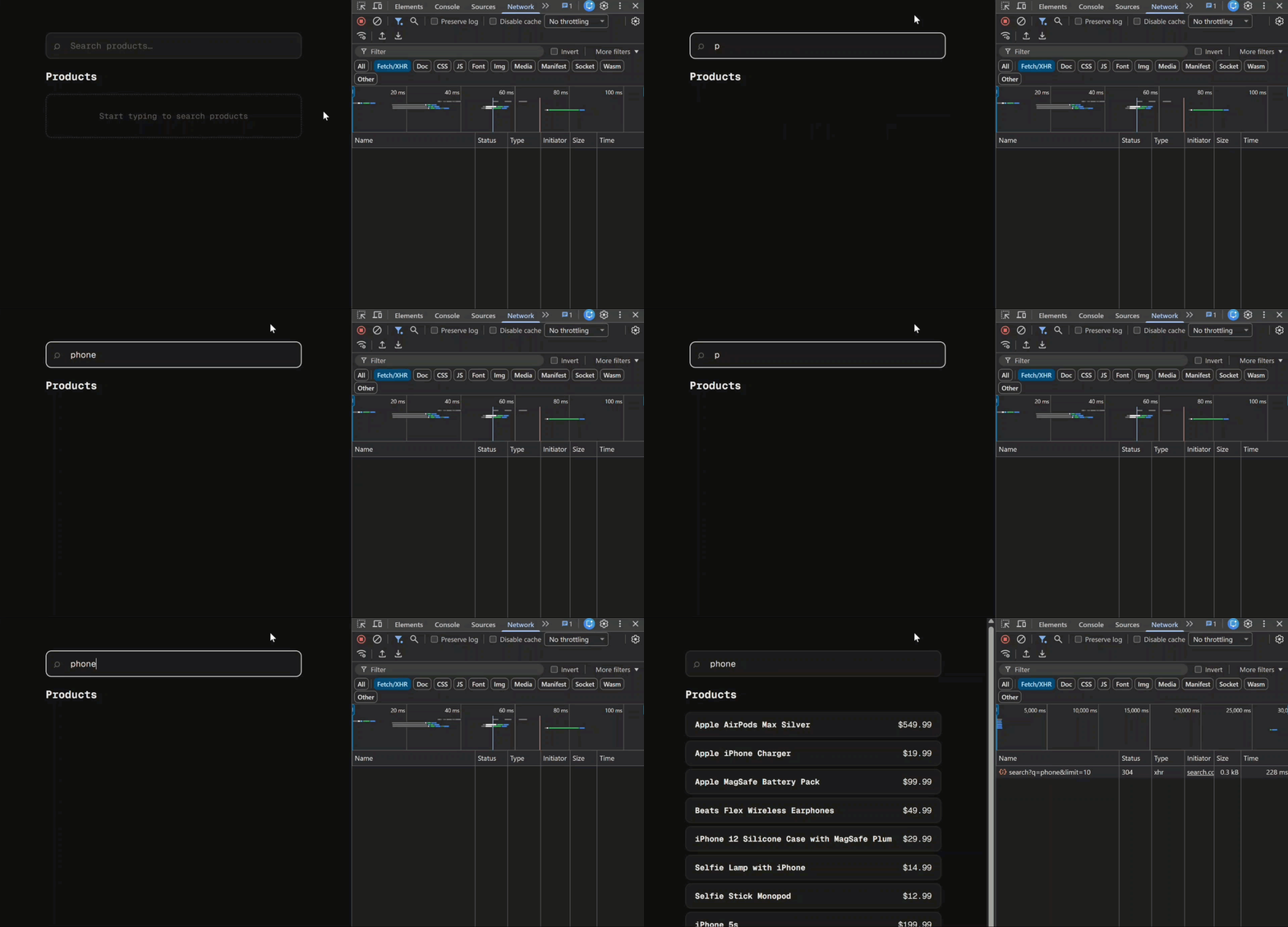
Typing in the search box only fires a single API request after the user has stopped typing for a second.
The difference is that our component logic is now almost 100% signal-based.
No toObservable, no .pipe(), no manual subscriptions.
This is a huge step forward for reactivity in Angular, giving us a more declarative, signal-native way to handle one of the most common patterns in web development.
Get Ahead of Angular’s Next Shift
Most Angular apps today still rely on reactive forms, but that’s starting to shift.
Signal Forms are new, and not widely adopted yet, which makes this a good time to get ahead of the curve.
I created a course that walks through everything in a real-world context if you want to get up to speed early: 👉 Angular Signal Forms Course