Follow-Up: Simplifying Zod Validation in Angular Signal Forms with validateStandardSchema
I recently published a tutorial on using Zod validation with Angular Signal Forms, and it worked perfectly. But a Reddit commenter politely pointed out that I had over-engineered the entire thing!
Angular Signal Forms Tutorial Series:
- Migrate to Signal Forms - Start here for migration basics
- Signal Forms vs Reactive Forms - See why Signal Forms are better
- Custom Validators - Add custom validation to Signal Forms
- Async Validation - Handle async validation in Signal Forms
- Cross-Field Validation - Validate across multiple fields
- State Classes - Use automatic state classes
- Zod Validation with validateTree - Previous approach (over-engineered)
In that video, I manually wired schema validation, mapped errors, handled success states, and translated field names, only to learn that Angular already ships a built-in helper specifically designed for schema validators like Zod.
And yes, I completely missed it.
So today, we’re fixing that.
We’re deleting a lot of code, switching to the right API, and making Zod validation in Angular Signal Forms almost embarrassingly simple.
Stick around because the final solution is shockingly clean.
This post shows the recommended way to use Zod validation in Angular Signal Forms using the built-in validateStandardSchema() API.
How Zod Validation Works in Angular Signal Forms (Before Refactor)
Let’s start by looking at what the app does right now.
This is a simple signup form that’s already been updated to use the new Signal Forms API:
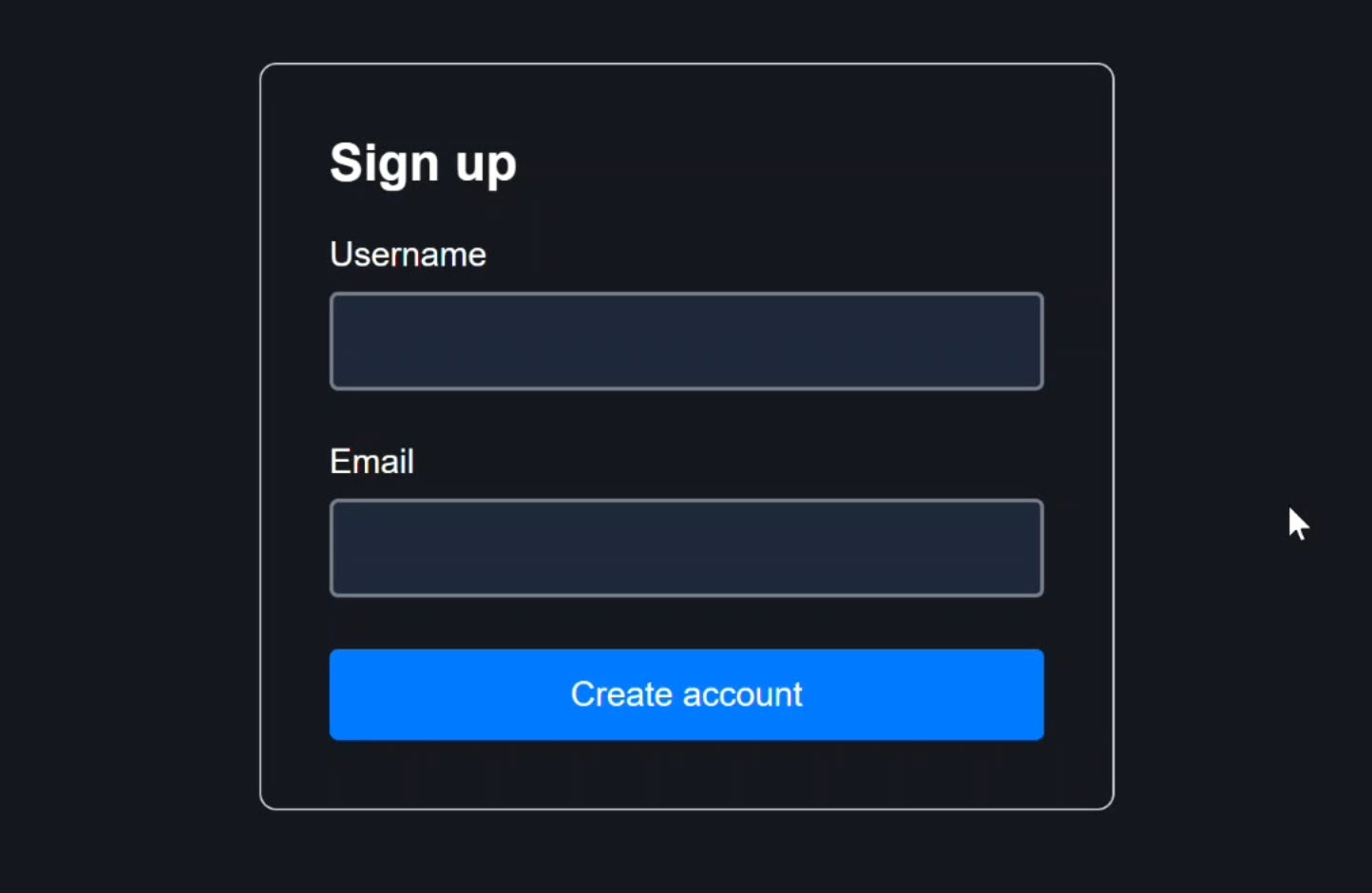
If I try to submit the form, immediately we get validation errors for both fields:
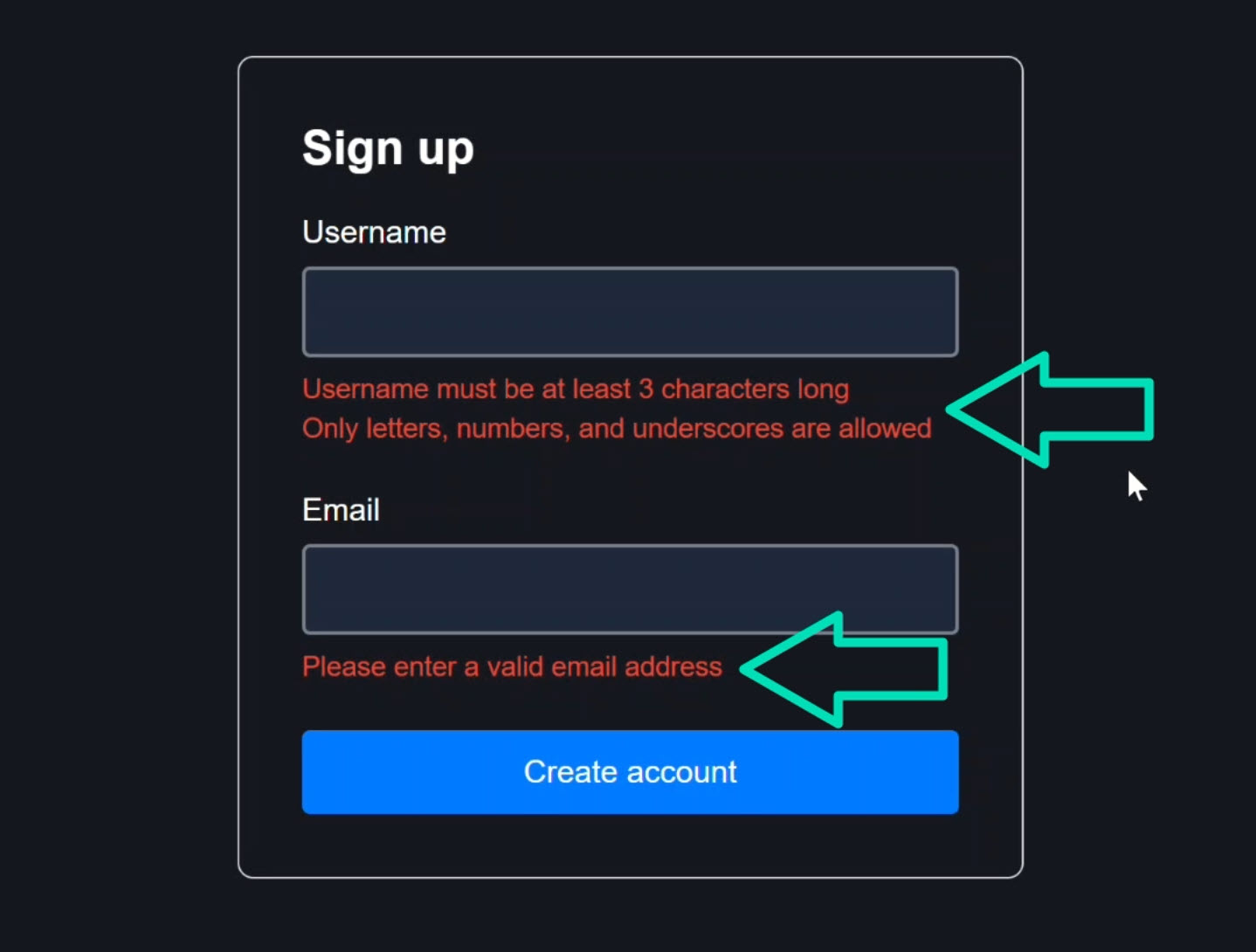
Those errors are coming from a Zod schema that’s currently wired into our Signal Form.
Now I’ll enter a valid username and email:

Notice the errors disappear automatically. That’s a good sign.
When I submit the form again, it actually submits the data, which we can confirm with this console log:
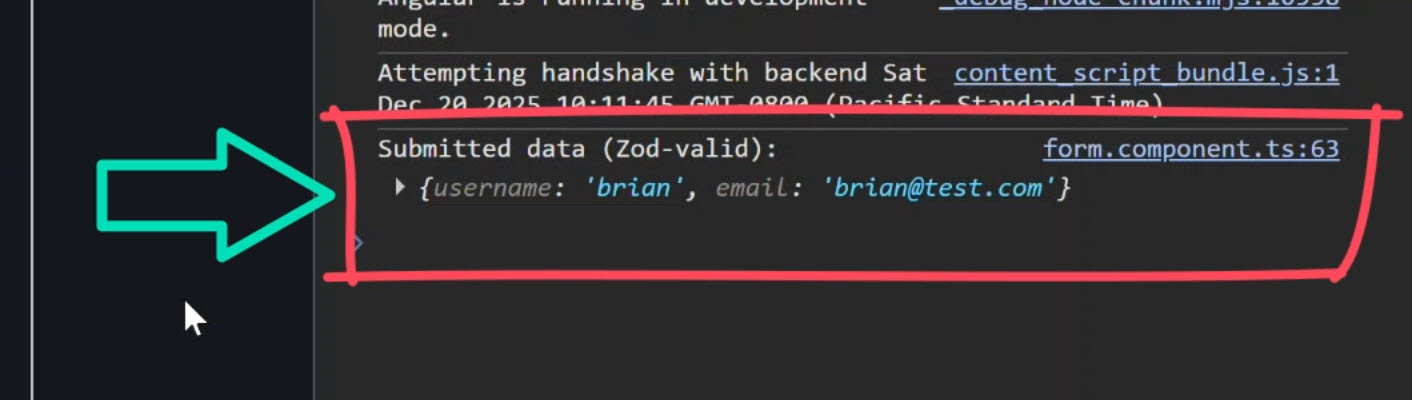
So functionally, everything works.
And that’s exactly why this problem is sneaky.
The implementation can be much cleaner.
Defining a Zod Validation Schema for Angular Signal Forms
Let’s look at the current code that’s making this all work.
We’ll start with the schema file.
Here, we’re importing z from Zod, which gives us access to the schema API:
import { z } from 'zod';
We then define our validation schema:
export const signupSchema = z.object({
    username: z
        .string()
        .min(3, 'Username must be at least 3 characters long')
        .regex(
            /^[a-zA-Z0-9_]+$/,
            'Only letters, numbers, and underscores are allowed'
        ),
    email: z
        .string()
        .email('Please enter a valid email address'),
});
This part is excellent.
It’s declarative, framework-agnostic, easy to test, and exactly how schemas should be defined.
But if we scroll down a bit, here’s the problem.
In the previous version, I added this custom validateSignup() function:
export function validateSignup(value: SignupModel) {
    const result = signupSchema.safeParse(value);

    if (result.success) {
        return {
            success: true as const,
            data: result.data,
            errors: {} as ZodErrorMap,
        };
    }

    const errors = result.error.issues.reduce<ZodErrorMap>(
        (acc, issue) => {
            const field = issue.path[0]?.toString() ?? '_form';
            (acc[field] ??= []).push(issue.message);
            return acc;
        }, {}
    );

    return {
        success: false as const,
        data: null,
        errors,
    };
}
This function runs safeParse, checks whether validation succeeded, reduces Zod issues into a custom error map, and reshapes everything into something Angular understands.
It works, but this file is now doing far more than defining validation rules.
And that’s our first real issue.
Manual Zod Validation Using validateTree() (Why This Is Overkill)
Now let’s switch over to the component TypeScript.
We first define our signal-based form model:
import { signal } from '@angular/core';
import { SignupModel } from './form.schema';

protected readonly model = signal<SignupModel>({
    username: '',
    email: '',
});
This signal is the single source of truth for the form’s state.
Signal Forms observe this signal and react to changes automatically.
Next, we create the form itself using the form() function:
import { form, validateTree } from '@angular/forms/signals';
import { ValidationError } from '@angular/forms/signals';
import { validateSignup, ZodErrorMap } from './form.schema';

protected readonly form = form(this.model, s => {
    validateTree(s, ctx => {
        const result = validateSignup(ctx.value());

        if (result.success) {
            return undefined;
        }

        const zodErrors: ZodErrorMap = result.errors;
        const errors: ValidationError.WithOptionalField[] = [];

        const getFieldRef = (key: string) => {
            switch (key) {
                case 'username':
                    return ctx.field.username;
                case 'email':
                    return ctx.field.email;
                default:
                    return null;
            }
        };

        for (const [fieldKey, messages] of Object.entries(zodErrors)) {
            const fieldRef = getFieldRef(fieldKey);
            if (fieldRef) {
                errors.push(
                    ...messages.map((message) => ({
                        kind: `zod.${fieldKey}` as const,
                        message,
                        field: fieldRef,
                    }))
                );
            }
        }

        return errors.length ? errors : undefined;
    });
});
We’re using validateTree(), which is essentially the escape hatch validation API.
It gives us access to the full form value, individual field references, and total control over validation behavior.
That flexibility is powerful.
But it also means we’re doing everything ourselves.
After calling our custom validator, we first handle the success case:
if (result.success) {
    return undefined;
}
Then we loop over every Zod error, manually map field names to form fields, and construct Angular ValidationError objects by hand:
for (const [fieldKey, messages] of Object.entries(zodErrors)) {
    const fieldRef = getFieldRef(fieldKey);
    if (fieldRef) {
        errors.push(
            ...messages.map((message) => ({
                kind: `zod.${fieldKey}` as const,
                message,
                field: fieldRef,
            }))
        );
    }
}
This is the part the Reddit commenter rightfully called out.
If this feels like busy work, that’s because it is.
And more importantly, it doesn’t scale.
validateStandardSchema: Built-In Schema Validation for Angular Signal Forms
Angular Signal Forms actually ships a helper designed specifically for schema validators like Zod.
It’s called validateStandardSchema().
This function understands the standard schema contract, meaning Angular already knows how to:
- Run the schema
- Interpret its errors
- Map those errors to the correct fields
- Clear them when values become valid
In other words, Angular already knows how to talk to Zod.
We just need to let it.
Replacing validateTree() with validateStandardSchema()
To switch to this simplified approach, I will remove everything related to validateTree() including the function itself.
Then, in its place, I’ll add the validateStandardSchema() function:
import { form, validateStandardSchema } from '@angular/forms/signals';
import { signupSchema } from './form.schema';

protected readonly form = form(this.model, s => {
    validateStandardSchema(s, signupSchema);
});
We need to pass it our form scope as the first parameter (s).
Then, we need to pass it the schema to use for validation.
In our case, we’ll pass it the signupSchema from our schema file.
And that’s it!
That’s all there is to it.
Angular now runs the schema automatically, maps errors to the correct fields, and clears them as soon as values become valid.
No more manual wiring, error translation, or field lookup logic.
And since we deleted all that code, we can clean up a lot of imports as well.
But we’re not done yet, there’s even more we can remove!
Removing Custom Zod Validation Code (Simplifying the Schema)
Let’s switch back over to the schema file.
Here we can now delete the entire validateSignup() function.
None of this is needed anymore, so we can get rid of all of it.
We can also remove the ZodErrorMap type. Nothing references it anymore.
What we’re left with is exactly what this file should contain, a schema that defines validation rules and nothing else:
import { z } from 'zod';

export type SignupModel = z.infer<typeof signupSchema>;

export const signupSchema = z.object({
    username: z
        .string()
        .min(3, 'Username must be at least 3 characters long')
        .regex(
            /^[a-zA-Z0-9_]+$/,
            'Only letters, numbers, and underscores are allowed'
        ),
    email: z
        .string()
        .email('Please enter a valid email address'),
});
This file now does one job: define validation rules. Perfect!
Final Result: Clean Zod Validation with Signal Forms
After saving these changes and submitting the form again, the validation errors still appear automatically:
Now let’s enter some valid data:
Perfect. The errors disappear.
And when we submit the form again:
Nice! It submits successfully like it should.
So now we have the same behavior but with way less code!
When to Use validateStandardSchema() vs validateTree()
If you’re curious about when to use validateStandardSchema() vs validateTree(), here’s the breakdown:
Use validateStandardSchema() when:
- You’re using a standard schema validation library (Zod, Yup, Joi, etc.)
- Your schema follows the standard contract (can be parsed, returns errors in a standard format)
- You want the simplest possible integration
Use validateTree() when:
- You need custom validation logic that doesn’t fit standard schema patterns
- You’re integrating with a validation library that doesn’t follow standard contracts
- You need fine-grained control over error mapping or validation timing
For most Angular developers using Zod, validateStandardSchema() is the right choice.
This API exists so you don’t have to reinvent schema adapters every time you integrate a validation library.
Best Practice for Zod Validation in Angular Signal Forms
So this is one of those Angular APIs that’s easy to miss, but once you see it, you never want to go back.
If you’re using Zod with Signal Forms, don’t manually wire validation like I did.
Use validateStandardSchema() instead.
Benefits:
- Less code: No manual error mapping or field lookups
- Fewer bugs: Angular handles the integration correctly
- Easier to maintain: Schema files stay focused on validation rules
- Better scalability: Works seamlessly as forms grow in complexity
- Type safety: Full TypeScript support throughout
Huge thanks to pkgmain for the catch!
And yes, next time I’ll try to do a better job reading the docs before publishing!
If this helped you, be sure to subscribe and leave a comment, it really helps other Angular developers find this content.
Additional Resources
- The demo app BEFORE refactoring (over-engineered)
- The demo app AFTER refactoring (clean)
- Previous tutorial: Zod Validation with Angular Signal Forms
- Angular Signal Forms documentation
- validateStandardSchema API Reference
- Zod documentation
- My course “Angular: Styling Applications”
- My course “Angular in Practice: Zoneless Change Detection”
- Get a Pluralsight FREE TRIAL HERE!
Try It Yourself
Want to experiment with validateStandardSchema()? The integration is straightforward once you understand how it works.
If you have any questions or spot improvements to this approach, please leave a comment.