Signal Forms Just Got Automatic State Classes (And More)
Reactive Forms automatically apply state classes like ng-touched, ng-dirty, and ng-valid, but Signal Forms initially lacked this feature. Recent Angular updates restored automatic state classes with full customization capabilities, allowing you to configure class names, add custom states, and control when classes are applied. This tutorial demonstrates how to enable and customize Signal Forms state classes, going beyond what Reactive Forms ever allowed.
Angular Signal Forms Tutorial Series:
- Migrate to Signal Forms - Start here for migration basics
- Signal Forms vs Reactive Forms - See why Signal Forms are better
- Custom Validators - Add custom validation to Signal Forms
- Async Validation - Handle async validation in Signal Forms
- Cross-Field Validation - Validate across multiple fields
Reactive Forms vs Signal Forms: Where Did ng-* Classes Go?
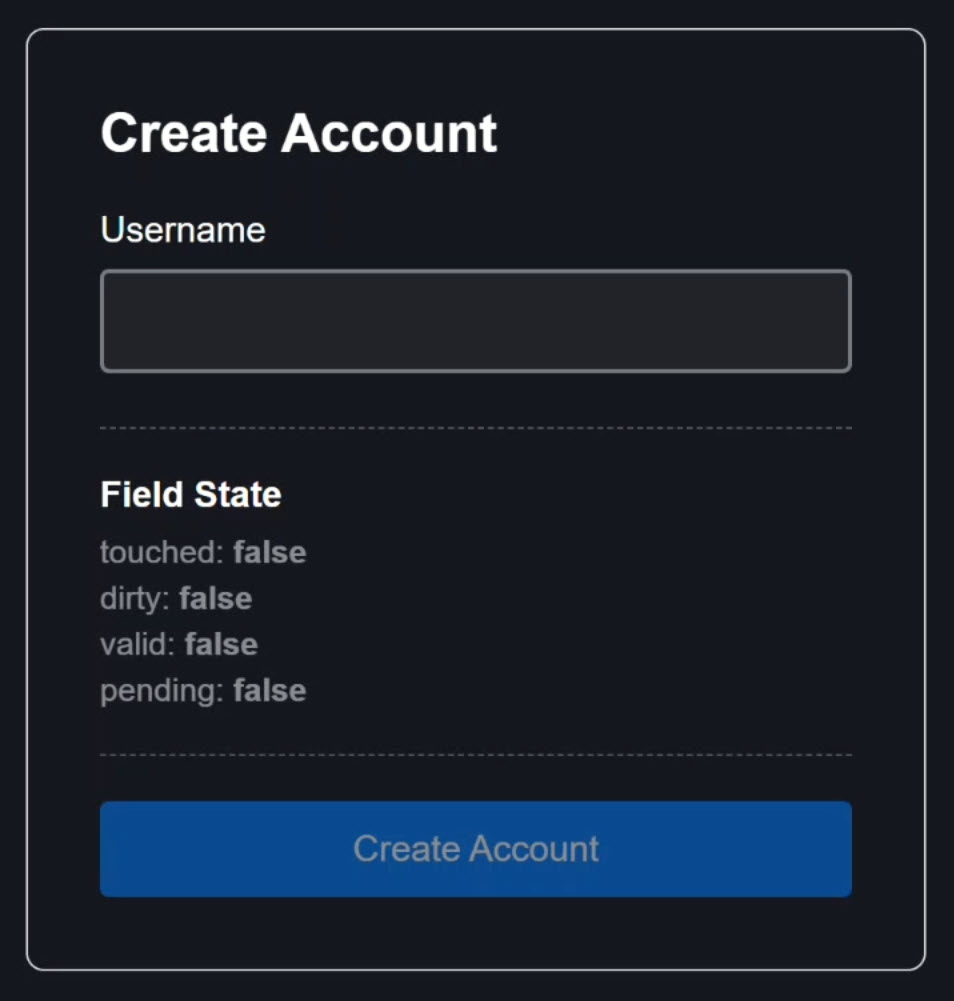
Here we have a form built with reactive forms:
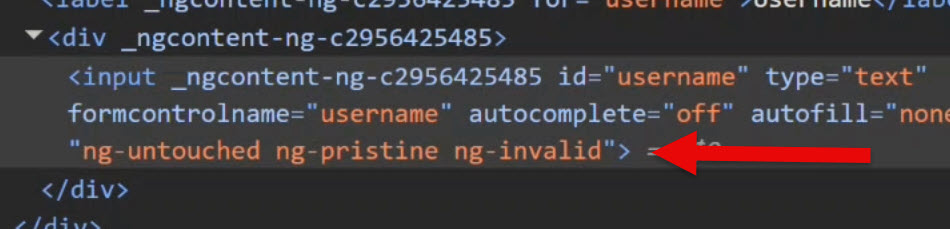
When we interact with the form, the built-in “ng-“ prefixed state-based classes are applied automatically for us:
Alright, let’s look at the exact same app, but now converted over to Signal Forms:
Visually, it looks the same, but when we trigger different states of this form, notice we no longer get any of those state-based classes:
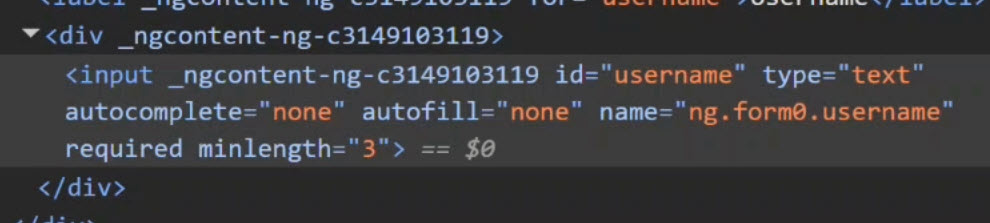
No ng-dirty, no ng-invalid, no ng-pending, nothing.
And if your styling depended on these like our app does, this breaks things immediately after migration.
Luckily, as of Angular 21.0.1, there’s now a really clean way to add them back.
Let’s Explore How This Signal Form Is Built
Before we fix it though, let’s quickly walk through how this form is actually wired, because the fix is going to feel almost too easy once you see it.
Let’s start with the styles for this component.
You can see that we’re still using the old “ng-“ prefixed classes left over from Reactive Forms:
input {

    // touched vs untouched
    &.ng-untouched {
        background-color: rgba(white, 0.05);
    }

    &.ng-touched {
        background-color: rgba(#007bff, 0.15);
    }

    // dirty vs pristine
    &.ng-dirty {
        box-shadow: 0 0 0 2px rgba(#007bff, 0.12);
    }

    // valid vs invalid
    &.ng-touched.ng-invalid {
        border-color: #e53935;
    }

    &.ng-touched.ng-valid {
    border-color: #43a047;
    }

    // pending
    &.ng-pending {
        border-color: orange;
    }

}
So clearly, if we want this styling to work again with Signal Forms, we need some way to re-introduce those same state-based classes, or at least something equivalent.
Now let’s take a look at the component template.
Signal Forms Template Walkthrough: The New [field] Directive
Here’s the username input, and instead of formControlName, we’re using the new field directive from the Signal Forms API:
<input
    id="username"
    type="text"
    [field]="form.username" />
That binding connects this input directly to a Field object from our Signal Form.
That Field gives us reactive access to everything:
- the value,
- touched,
- dirty,
- valid,
- and pending,
All as signals.
And then below this input, we have a little debug panel that simply shows that state in real time: touched, dirty, valid, and pending:
@let username = form.username();
<h3>Field State</h3>
<ul>
    <li [class.active]="username.touched()">
        touched: <strong>{{ username.touched() }}</strong>
    </li>
    <li [class.active]="username.dirty()">
        dirty: <strong>{{ username.dirty() }}</strong>
    </li>
    <li [class.active]="username.valid()">
        valid: <strong>{{ username.valid() }}</strong>
    </li>
    <li [class.active]="username.pending()">
        pending: <strong>{{ username.pending() }}</strong>
    </li>
</ul>
So technically, we could manually bind these as classes on the input using these state conditions, right?
<input
    id="username"
    type="text"
    [field]="form.username"
    [class.ng-untouched]="!username.touched()"
    [class.ng-touched]="username.touched()"
    [class.ng-dirty]="username.dirty()"
    [class.ng-valid]="username.valid()"
    [class.ng-pending]="username.pending()" />
But that would be pretty painful to do on every control, so that’s definitely not the solution we want.
Now let’s switch over to the component TypeScript.
Signal Forms TypeScript Deep Dive: model and form()
The first thing we have here is this “model” signal:
interface SignUpForm {
  username: string;
}

protected model = signal<SignUpForm>({
    username: '',
});
This is the source of truth for our form’s data.
It replaces the old FormGroup value object.
Instead of mutating controls directly, Signal Forms now updates this signal automatically.
Next, we have the form() function:
import { ..., form } from '@angular/forms/signals';

protected form = form(this.model, s => {
    ...
});
This connects the model to the actual form behavior.
With this function, we pass it the model signal, followed by a schema callback where we can add validation.
Here, s.username represents the username as a field builder.
We use this to add required(), minLength(), debounce(), and the async validator (validateAsync()) to check if the name already exists:
import { ..., required, minLength, debounce, validateAsync } from '@angular/forms/signals';

protected form = form(this.model, s => {
    required(s.username, { message: 'A username is required' });
		minLength(s.username, 3, {
      message: 'Username must be at least 3 characters',
    });

    debounce(s.username, 500);

    validateAsync(s.username, {
        ...
    });
});
So conceptually, everything we had in our Reactive Form setup still exists here.
It’s just driven by signals instead of observables.
New in Angular 21.0.1: Global Signal Forms Configuration
Now here’s what the Angular team has quietly fixed for us.
Signal Forms now has a new application-level configuration API that allows it to inject CSS classes based on field state, just like Reactive Forms used to.
And the best part? You only have to set this up once for your entire app.
To add this, we need to make a small change in our main application configuration.
In this app, that lives in main.ts, where the Angular application is bootstrapped.
In the providers array, we need to add a new method called provideSignalFormsConfig():
import { provideSignalFormsConfig } from '@angular/forms/signals';
import { NG_STATUS_CLASSES } from '@angular/forms/signals/compat';

bootstrapApplication(AppComponent, {
    providers: [
        ...,
        provideSignalFormsConfig({
            classes: NG_STATUS_CLASSES
        })
    ]
});
This lets us define how Signal Forms behaves globally across the entire app.
Inside this config object, we’ve added a new classes property, and for its value we’re using the built-in NG_STATUS_CLASSES constant.
This one constant automatically recreates the classic “ng-“ class behavior from Reactive Forms.
And that’s it! That’s literally all we need to add.
And then, once we save…
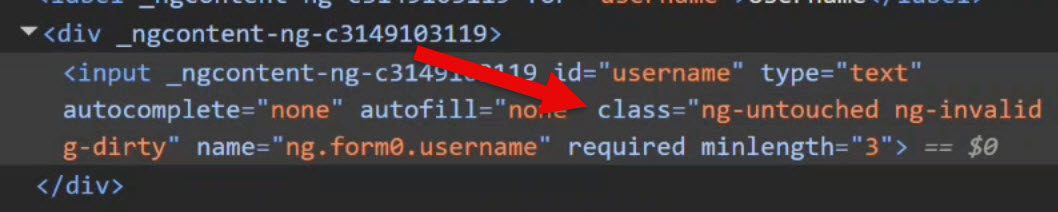
There they are!
Now as we interact with this field, we’re right back to the familiar “ng-“ prefixed classes: ng-touched, ng-dirty, ng-pending, and ng-valid.
We’re officially back in business.
Custom State Classes in Signal Forms (Beyond ng-*)
Now here’s the really interesting part, and this is something we never had in Reactive Forms.
What if you don’t want ng-invalid?
What if you want app-invalid or danger-zone or yikes-that-input-is-wrong?
With Signal Forms, we can now do this globally and cleanly.
Instead of using the built-in constant, we just replace it with our own object:
provideSignalFormsConfig({
    classes: {
        ...,
        'app-touched': s => s.touched(),
        'app-untouched': s => !s.touched(),
        'app-dirty': s => s.dirty(),
        'app-pristine': s => !s.dirty(),
        'app-valid': s => s.valid(),
        'app-invalid': s => s.invalid(),
        'app-pending': s => s.pending()
    }
})
Each key is the class name as a string, and each value is a function that returns whether that class should be applied based on live field state.
Now we just need to update our class selectors in the CSS to match:
input {

    // touched vs untouched
    &.app-untouched { ... }
    &.app-touched { ... }

    // dirty vs pristine
    &.app-dirty { ... }

    // valid vs invalid
    &.app-touched.app-invalid { ... }
    &.app-touched.app-valid { ... }

    // pending
    &.app-pending { ... }

}
And that should be it.
Final Result: Fully Branded Automatic Form State Styling
After we save, this is what we get:

Nice, now instead of “ng-“ classes we’ve got “app-“ prefixed classes instead.
Same automatic behavior, fully branded, zero template bindings.
Conditional State Classes for Better UX
Here’s where this gets even cooler at a global level.
Let’s say we don’t want our invalid class to show up immediately.
Let’s say we only want it to apply when the field is both invalid and touched.
That’s now trivial to do, we just add that condition directly into our custom class config:
provideSignalFormsConfig({
    classes: {
        ...,
        'app-invalid': s => s.invalid() && s.touched(),
    }
})
So instead of just checking invalid, now this app-invalid class only applies when the field is invalid and touched.
And just like that, we’ve moved real UX logic into a single, centralized config.
Pretty powerful, right?
Why This Update Changes Signal Forms for Good
This is one of those small Angular updates that quietly fixes a real pain point, and actually gives us more power than we had before.
We now get:
- automatic state classes
- global configuration
- and full customization
All without adding noise to our templates.
If you’re already using Signal Forms for validation, async checks, or dynamic forms, this is one of those upgrades you absolutely want turned on!
If this helped you, be sure to subscribe and leave a comment, it really helps other Angular developers find this content.
Additional Resources
- The demo app BEFORE any changes
- The demo app AFTER making changes
- Angular Signal Forms Documentation
- Signal Forms Validation API
- More Signal Forms Examples and Tutorials
- My course “Angular: Styling Applications”
- My course “Angular in Practice: Zoneless Change Detection”
- Get a Pluralsight FREE TRIAL HERE!
Try It Yourself
Want to experiment with automatic and custom state classes in Signal Forms? Explore the full StackBlitz demo below.
If you have any questions or thoughts, don’t hesitate to leave a comment.