Angular 22 @Service vs @Injectable (What You Need to Know)
Every Angular developer is familiar with @Injectable({ providedIn: 'root' }) for declaring services. While powerful, the @Injectable decorator supports many advanced configurations that are rarely used in typical application services. Angular 22 introduces a new @Service decorator designed to simplify service declaration for the most common use cases. This post will explore how it streamlines service creation and even enforces modern dependency injection patterns.
Version Disclaimer
This API is currently in pre-release, so some details may change before the final Angular 22 release.
The Problem: Overly Complex Service Declaration
For many years, declaring a service in Angular meant using the @Injectable decorator, often with the providedIn: 'root' option.
This pattern, while effective, includes configuration options that are seldom needed for straightforward application services.
Let’s look at a very simple example of a service that fetches user data and posts from an API:
import { Injectable, signal } from '@angular/core';
import { HttpClient, httpResource } from '@angular/common/http';
import { Post, User } from './models';

const BASE = 'https://jsonplaceholder.typicode.com';

@Injectable({ providedIn: 'root' })
export class PostsService {
  selectedUserId = signal<number | null>(null);

  users = httpResource<User[]>(() => `${BASE}/users`, { defaultValue: [] });

  posts = httpResource<Post[]>(() => {
    const id = this.selectedUserId();
    if (!id) {
      return undefined;
    }
    return `${BASE}/posts?userId=${id}`;
  }, { defaultValue: [] });
}
This code works perfectly fine in current Angular versions.
The @Injectable decorator registers the service as a singleton in Angular’s dependency injection system, making the same instance available wherever PostsService is injected.
The New Way: Angular 22 @Service() and inject()
Angular 22 introduces the @Service() decorator as a simpler, more opinionated alternative to @Injectable for common service patterns.
It’s intended for most app-level services, not a full replacement for every use case.
It assumes the most frequent scenario: a root-provided singleton service.
Step 1: Replacing @Injectable with @Service
Swapping from @Injectable to @Service is straightforward.
We simply replace the decorator and remove the providedIn: 'root' option, as it’s the default behavior for @Service():
import { Service, signal } from '@angular/core'; // Note: Injectable is removed
import { HttpClient, httpResource } from '@angular/common/http';
import { Post, User } from './models';

const BASE = 'https://jsonplaceholder.typicode.com';

@Service() // ← providedIn: 'root' by default, no config needed
export class PostsService {
  selectedUserId = signal<number | null>(null);

  users = httpResource<User[]>(() => `${BASE}/users`, { defaultValue: [] });

  posts = httpResource<Post[]>(() => {
    const id = this.selectedUserId();
    if (!id) {
      return undefined;
    }
    return `${BASE}/posts?userId=${id}`;
  }, { defaultValue: [] });
}
With this change, the PostsService continues to function identically.
So, @Service() provides the same root-level singleton behavior without the explicit configuration.
Step 2: Enforcing inject() for Dependencies
One of the significant changes with @Service() is that it does not allow constructor injection.
If you attempt to inject a dependency via the constructor while using @Service(), Angular will throw an error.
This is an intentional guardrail, pushing developers towards the modern inject() function for dependency resolution.
Consider our PostsService with HttpClient injected in the constructor:
import { Service, signal } from '@angular/core';
import { HttpClient, httpResource } from '@angular/common/http';
// ...

@Service()
export class PostsService {
  // ...

  constructor(private http: HttpClient) { // This will cause an error with @Service()
  }
}
Attempting to run this will result in a compilation error:
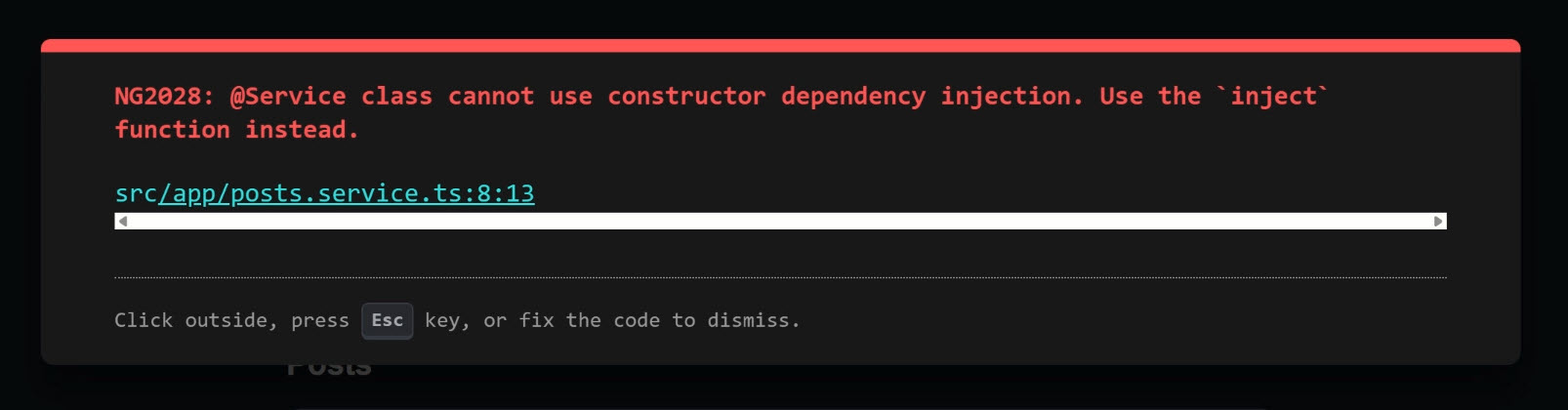
The solution is to use the inject() function:
import { Service, signal, inject } from '@angular/core'; // Note: inject is imported
import { HttpClient, httpResource } from '@angular/common/http';
// ...

@Service()
export class PostsService {
  // ...

  private http = inject(HttpClient); // Using inject() for dependency
}
This pushes services toward a more functional and consistent dependency injection style, aligning with how modern Angular APIs are designed.
Step 3: Component-Scoped Services with autoProvided: false
While @Service() defaults to root-level provision, it also offers a powerful option for explicit service scoping: autoProvided: false.
This is particularly useful for services that manage UI-specific state and should have their lifetime tied to a particular component.
Let’s look at a DraftPostService that manages the state for a draft form:
import { Service, signal, computed } from '@angular/core';

@Service({ autoProvided: false })  // I'll manage where this lives
export class DraftPostService {
  title = signal('');
  body = signal('');
  isValid = computed(() => this.title().length > 3 && this.body().length > 10);

  reset() {
    this.title.set('');
    this.body.set('');
  }
}
By setting autoProvided: false, we explicitly state that this service should not be automatically provided in the root injector.
Instead, its provision becomes the responsibility of the consumer.
This is ideal for UI state that should not persist across navigation or be globally accessible.
If we try to use this service in a component without providing it, we’ll encounter a NullInjectorError:
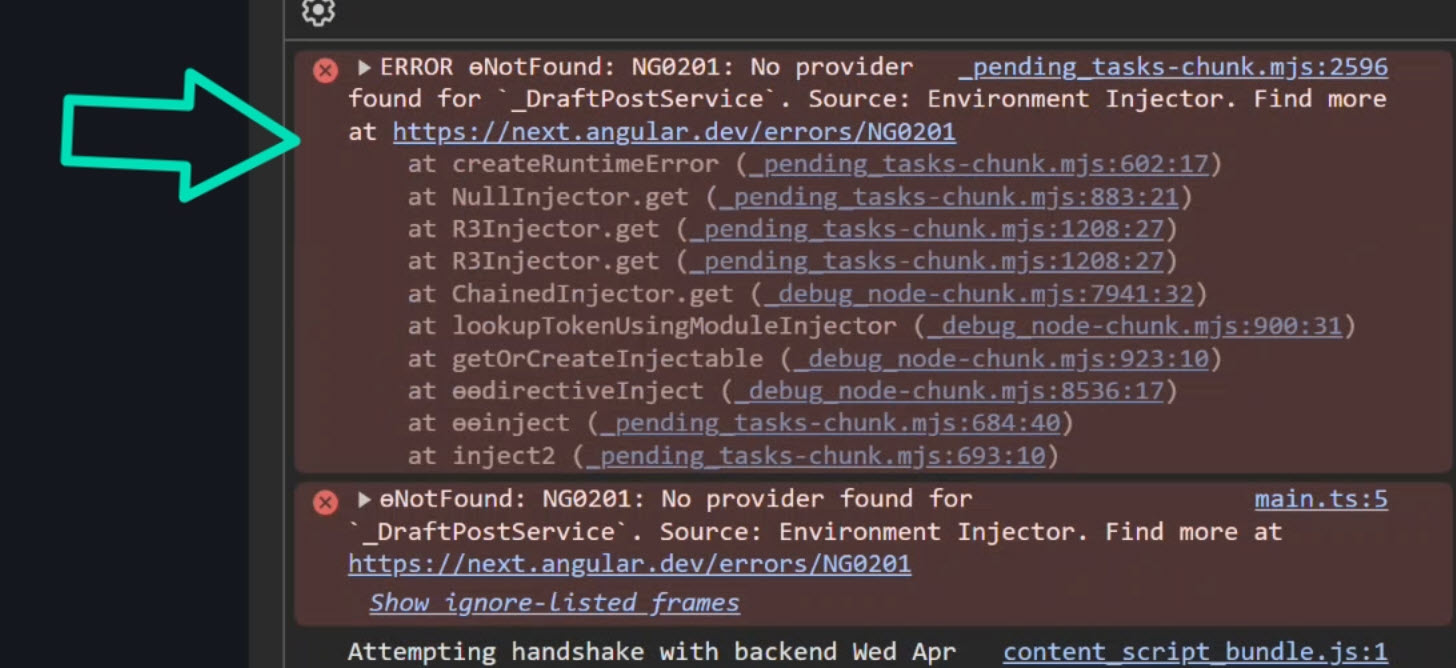
This occurs because Angular’s DI system cannot find a provider for DraftPostService in the injector tree.
To fix this, we need to explicitly provide the service at the component level:
import { Component, inject } from '@angular/core';
import { DraftPostService } from './draft-post.service';

@Component({
  selector: 'app-draft-panel',
  templateUrl: './draft-panel.component.html',
  styleUrl: './draft-panel.component.css',
  providers: [DraftPostService], // Service provided here
})
export class DraftPanelComponent {
  protected draft = inject(DraftPostService);
}
Now, the DraftPostService’s lifetime is directly tied to the DraftPanelComponent.
When the component is created, the service is instantiated.
When it’s destroyed, the service is destroyed as well.
This makes the intent of the service’s scope explicit and clear.
The Final Result
The @Service() decorator in Angular 22 offers a more streamlined and opinionated way to declare services, especially for the most common use cases.
It simplifies things, encourages the use of the inject() function for dependencies, and provides a clear mechanism for defining component-scoped services with autoProvided: false.
This isn’t just about new syntax, it’s about making the intent of your services more explicit and guiding developers toward modern Angular patterns.
By embracing @Service(), you can write cleaner, more maintainable code and better communicate the intended lifecycle and scope of your application’s services.
Get Ahead of Angular’s Next Shift
And speaking of modern patterns, if you’re trying to go deeper on those, especially things like signals and modern forms, I’ve got a new course available on Signal Forms that walks through how all of this fits together in real apps.
You can access it either directly or through YouTube membership, whichever works best for you:
👉 Buy the course
👉 Get it with YouTube membership