Angular v22 WebMCP Tools Explained
Angular v22 is experimenting with a new way to expose your app’s real capabilities to AI. Instead of letting models guess what's happening by scraping the DOM, we can now provide explicit, state-backed tools directly to the browser. This post walks through setting up WebMCP tools to bridge the gap between your Angular state and AI models like Gemini.
The Problem: AI Is Blind to App State
Most AI interactions with web apps today are limited to what the model can “see” in the rendered page.
This is brittle, surface-level, and completely misses the rich business logic living inside our services and signals.
Here’s an example of a basic Angular app with no WebMCP tools registered:
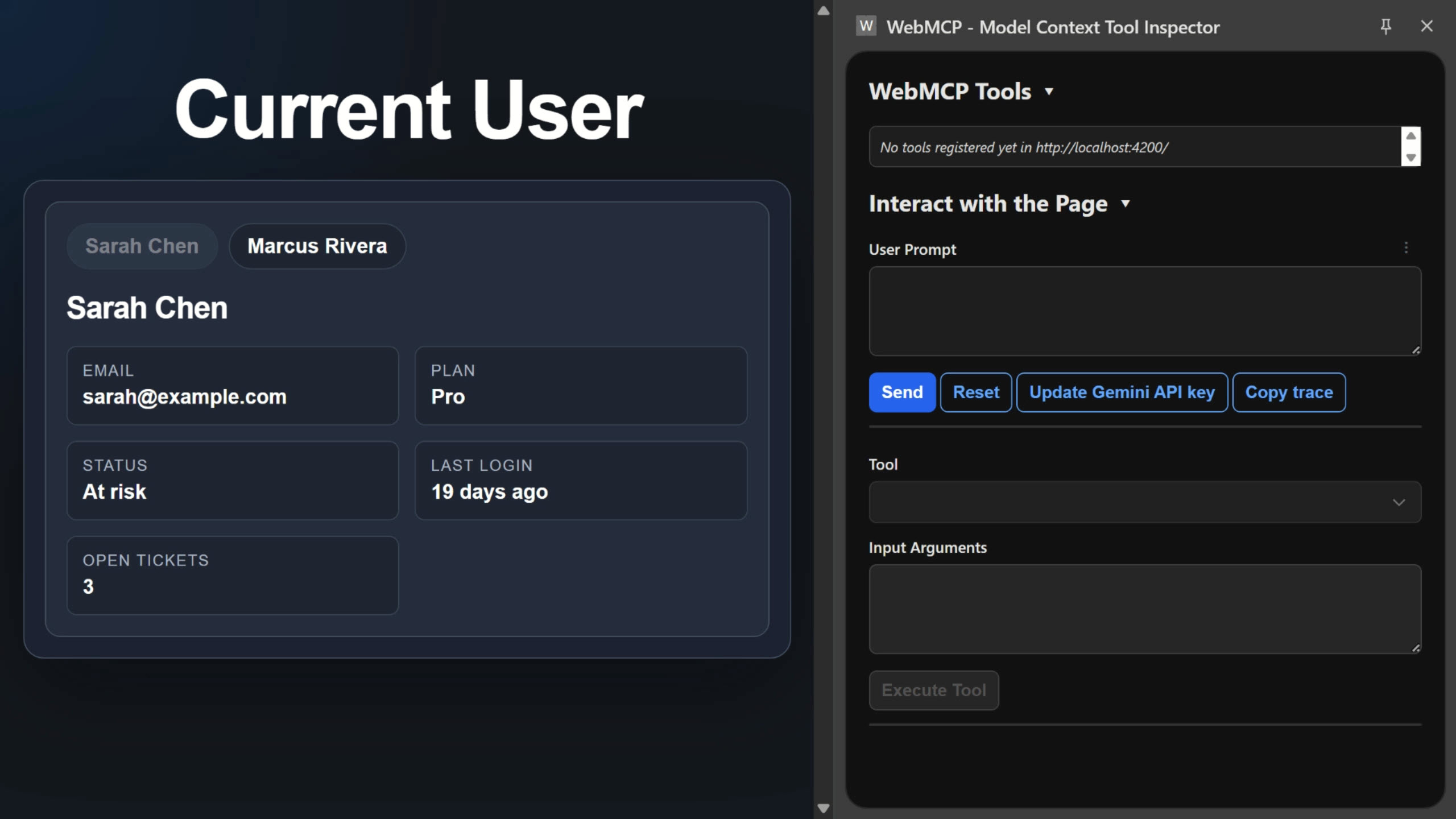
We’re using the WebMCP Inspector to see what tools are available and in this case, there are none:
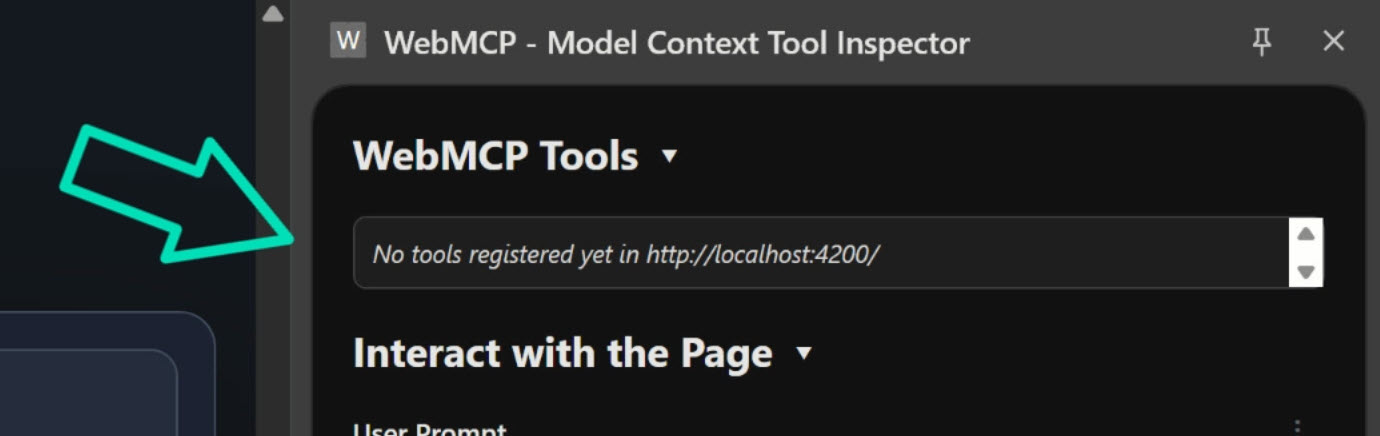
In this app, we have data that doesn’t always live in the DOM, like retention risk calculations and hidden account metrics, that could help an AI provide much better assistance.
Without a structured way to expose these capabilities, the AI is just left guessing.
The Solution: Angular Signal State
Before we can give the AI tools, we need a clean source of truth.
In this app, we’re using a UserStore service to manage our customer data.
We’re using the new @Service() decorator and signals to expose profile information and computed business rules.
import { computed, Service, signal } from '@angular/core';
import { USER_ACCOUNTS, type UserKey } from './user.mock-data';

@Service()
export class UserStore {
  private readonly selectedUserKeyState = signal<UserKey>('sarah');

  readonly users = [
    { key: 'sarah', user: USER_ACCOUNTS.sarah.user },
    { key: 'marcus', user: USER_ACCOUNTS.marcus.user },
  ] as const;

  readonly selectedUserKey = this.selectedUserKeyState.asReadonly();
  readonly currentUser = computed(() => USER_ACCOUNTS[this.selectedUserKey()].user);
  readonly account = computed(() => USER_ACCOUNTS[this.selectedUserKey()].account);
  readonly isHighRiskAccount = computed(() => {
    const account = this.account();

    return (
      account.daysSinceLastLogin > 14 ||
      account.paymentFailures > 0 ||
      account.unresolvedPriorityTickets > 0
    );
  });

  selectUser(userKey: UserKey): void {
    this.selectedUserKeyState.set(userKey);
  }
}
The isHighRiskAccount signal is exactly the kind of “hidden” logic that an AI wouldn’t know about just by looking at the UI.
It provides a clear, computed state based on multiple factors.
Creating WebMCP Tools with provideWebMcpTools()
Angular v22 introduces provideWebMcpTools(), a new API that registers WebMCP tools through the provider system.
This is powerful because these tools run inside the Angular injection context, meaning they can use dependency injection to access our services and signals.
Since this is still experimental, I’d treat this as a preview of where Angular and browser-based AI tooling are heading rather than a production recommendation today.
In this case, we register our tools globally in app.config.ts, but you should also be able to use it in route providers too:
import { ..., provideWebMcpTools } from '@angular/core';

export const appConfig: ApplicationConfig = {
  providers: [
    provideWebMcpTools([])
  ]
};
Each tool needs a name, a description for the AI to understand when to use it, an inputSchema, and an execute function.
Tool 1: Summarize the Current Customer
This tool provides a basic summary of the currently selected user.
It’s intentionally simple to demonstrate the core wiring: Gemini asks for a summary, and Angular returns the current signal state.
{
  name: 'get_current_user_summary',
  description: 'Returns a summary of the current user.',
  inputSchema: { type: 'object', properties: {} },
  execute: () => {
    const user = inject(UserStore).currentUser();

    return {
      content: [
        {
          type: 'text',
          text: `Name: ${user.name}
            Email: ${user.email}
            Plan: ${user.plan}
            Status: ${user.status}
            Last login: ${user.lastLogin}
            Open tickets: ${user.openTickets}`,
        },
      ],
    };
  },
},
Notice how the execute function directly injects UserStore and reads the currentUser signal.
The AI isn’t scraping the DOM, it’s calling a tool that accesses real Angular application state.
Tool 2: Analyze Retention Risk
This tool analyzes the current account and explains its retention risk.
It leverages the isHighRiskAccount computed signal we defined earlier.
{
  name: 'get_retention_risk',
  description: 'Analyzes the current account and explains retention risk.',
  inputSchema: { type: 'object', properties: {} },
  execute: () => {
    const store = inject(UserStore);
    const user = store.currentUser();
    const account = store.account();
    const isHighRisk = store.isHighRiskAccount();

    return {
      content: [
        {
          type: 'text',
          text: isHighRisk ?
            // Is high risk
            `${user.name} is currently considered high risk.

            Reasons:
            - ${account.daysSinceLastLogin} days since last login
            - ${account.paymentFailures} recent payment failures
            - ${account.unresolvedPriorityTickets} unresolved priority ticket

            Recommended next action:
            Have customer success schedule a live onboarding session.` :

            // Is low risk
            `${user.name} is currently considered low risk.

            No significant warning signs detected.

            Recommended next action:
            No immediate action needed.`
        },
      ],
    };
  },
},
This demonstrates how the AI can use app-defined business logic to determine a customer’s risk level, providing actionable insights based on our application’s internal state.
Tool 3: Draft a Customer Success Note
The third tool drafts a customer success outreach note.
The message content dynamically changes based on whether the isHighRiskAccount signal is true or false.
{
  name: 'draft_customer_success_note',
  description: 'Drafts a customer success outreach note for the current account.',
  inputSchema: { type: 'object', properties: {} },
  execute: () => {
    const store = inject(UserStore);
    const user = store.currentUser();
    const isHighRisk = store.isHighRiskAccount();

    return {
      content: [
        {
          type: 'text',
          text: isHighRisk ?
            // Is high risk
            `Hi ${user.name},

            I noticed you may have run into a few issues recently, and I wanted to reach out personally to see if we can help.

            If you'd like, we can schedule a quick onboarding session to walk through the platform and help resolve any blockers.

            Thanks,
            Customer Success Team` :

            // Is low risk
            `Hi ${user.name},

            Just wanted to check in and make sure everything is still going smoothly.

            Thanks for being a customer, and let us know if there’s anything we can help with.

            Thanks,
            Customer Success Team`
        },
      ],
    };
  },
}
This tool showcases how the same underlying Angular state can power multiple AI-callable capabilities, leading to context-aware and personalized AI responses.
Testing with the Inspector
Once registered, all three tools appear in the WebMCP Model Context Tool Inspector:
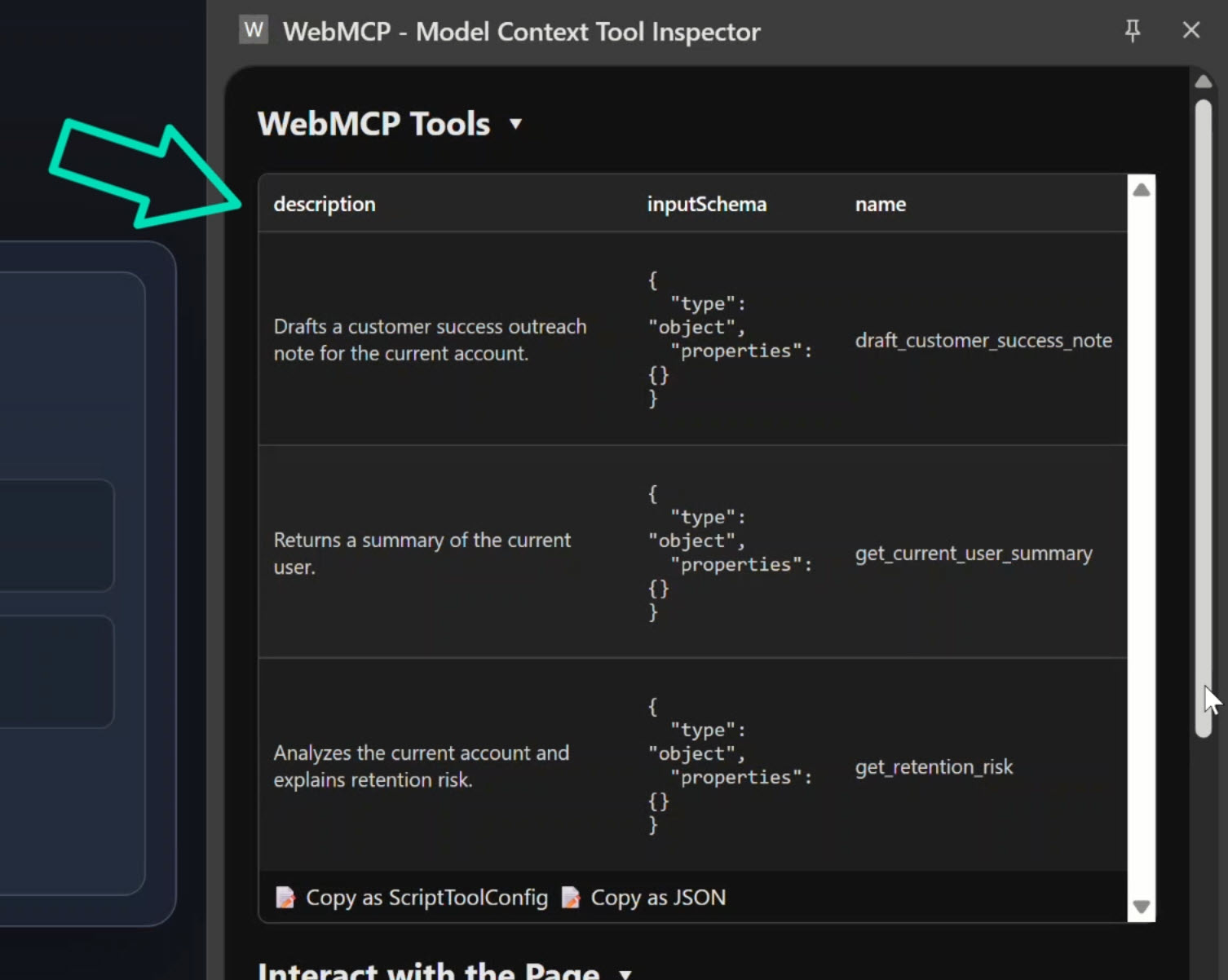
This allows the AI to see exactly what capabilities our app provides.
We can also see that Gemini already understands the tools available and has filled out the prompt for us:
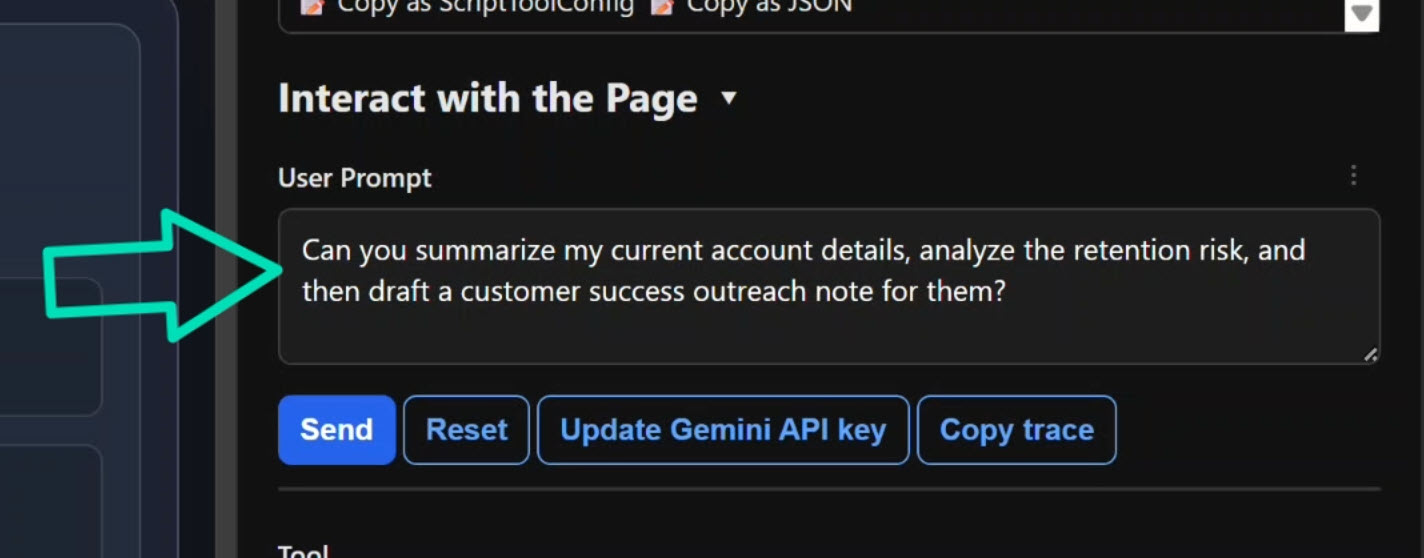
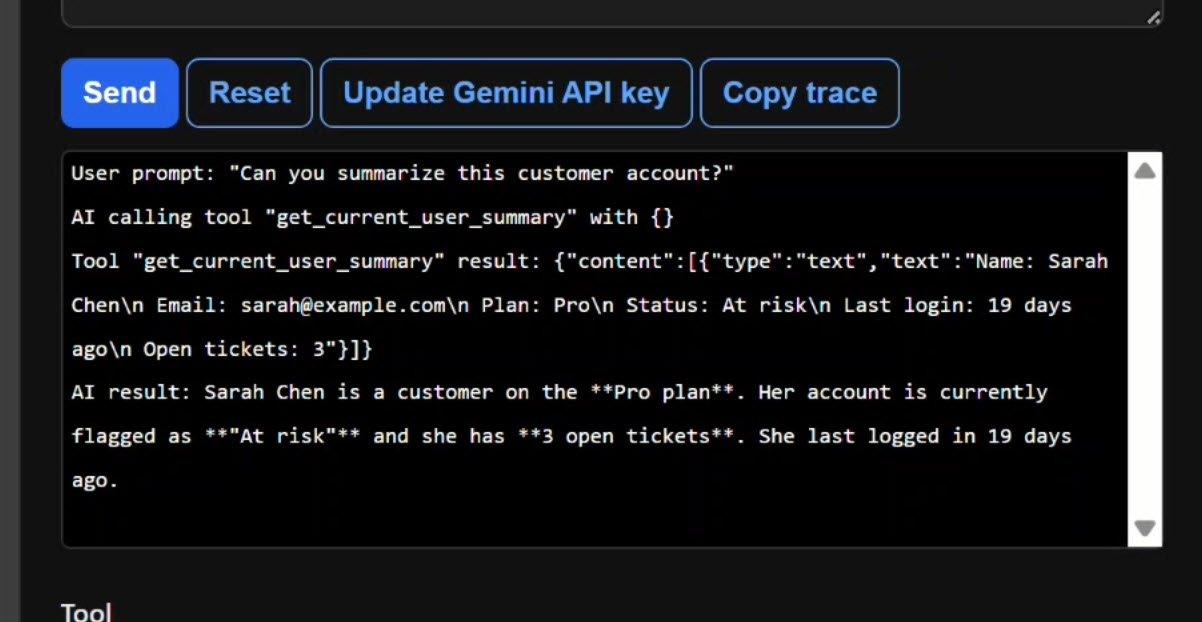
When we ask Gemini questions like “Can you summarize this customer account?”:
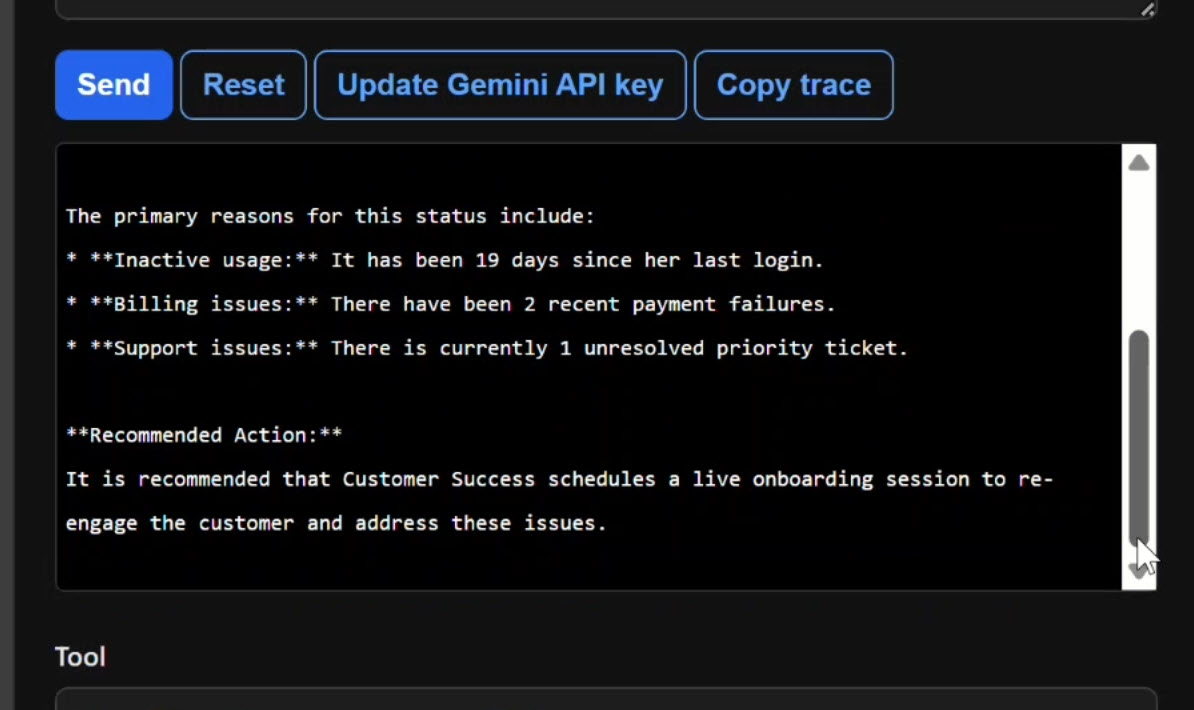
or “Is this customer at risk?”:
or “Draft a follow-up message for this customer”:
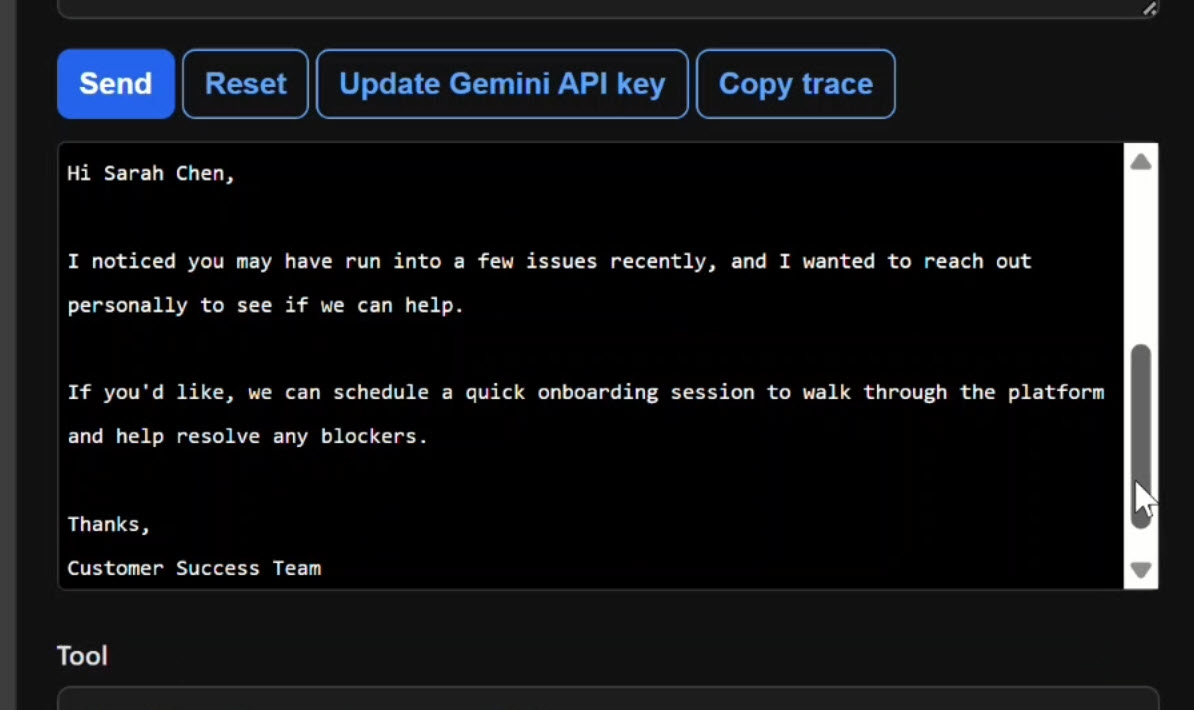
It doesn’t try to scrape the page.
It calls the appropriate WebMCP tool, reads the signal state, and gives an accurate answer based on our actual business logic.
Why WebMCP Tools Matter for Angular Apps
By exposing app-defined capabilities, we turn the browser into a collaborative environment where the AI understands the context of our application.
The AI response changes as the underlying signal state changes.
This is the real value of WebMCP in Angular: safe, explicit, and reactive AI capabilities backed by your existing services and logic.
Get Ahead of Angular’s Next Shift
Angular’s newest APIs are changing the way we build.
If you’re ready to go deeper with one of the biggest shifts in modern Angular, my Signal Forms course will help you get comfortable with the new forms model.
You can access it either directly or through YouTube membership, whichever works best for you:
👉 Buy the course
👉 Get it with YouTube membership