New in Angular 22: Directives for CDK Component Portals
Angular 22 lets ComponentPortal apply directives to a dynamically rendered component’s host element. In this post, we’ll use that to add a custom directive to the same help component rendered through both CdkPortalOutlet and DomPortalOutlet.
Note: This example focuses on a few accessibility concepts applied through a directive. It’s not meant to be a complete accessibility pattern for every dynamic panel.
The Problem: Dynamic Components Need Host Behavior Too
In this example, we have a simple checkout screen with a “Need help?” area in the sidebar:
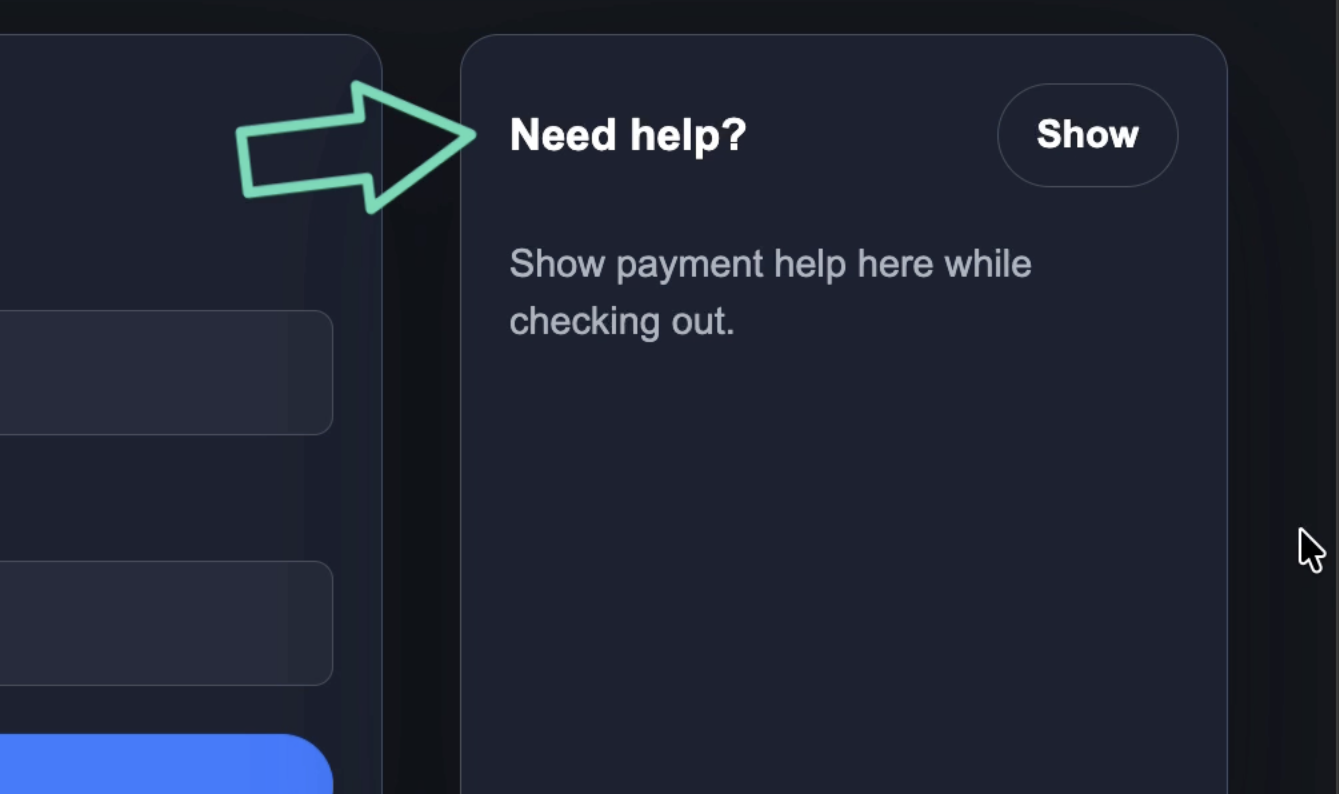
When the user clicks the button, we render a payment help message:
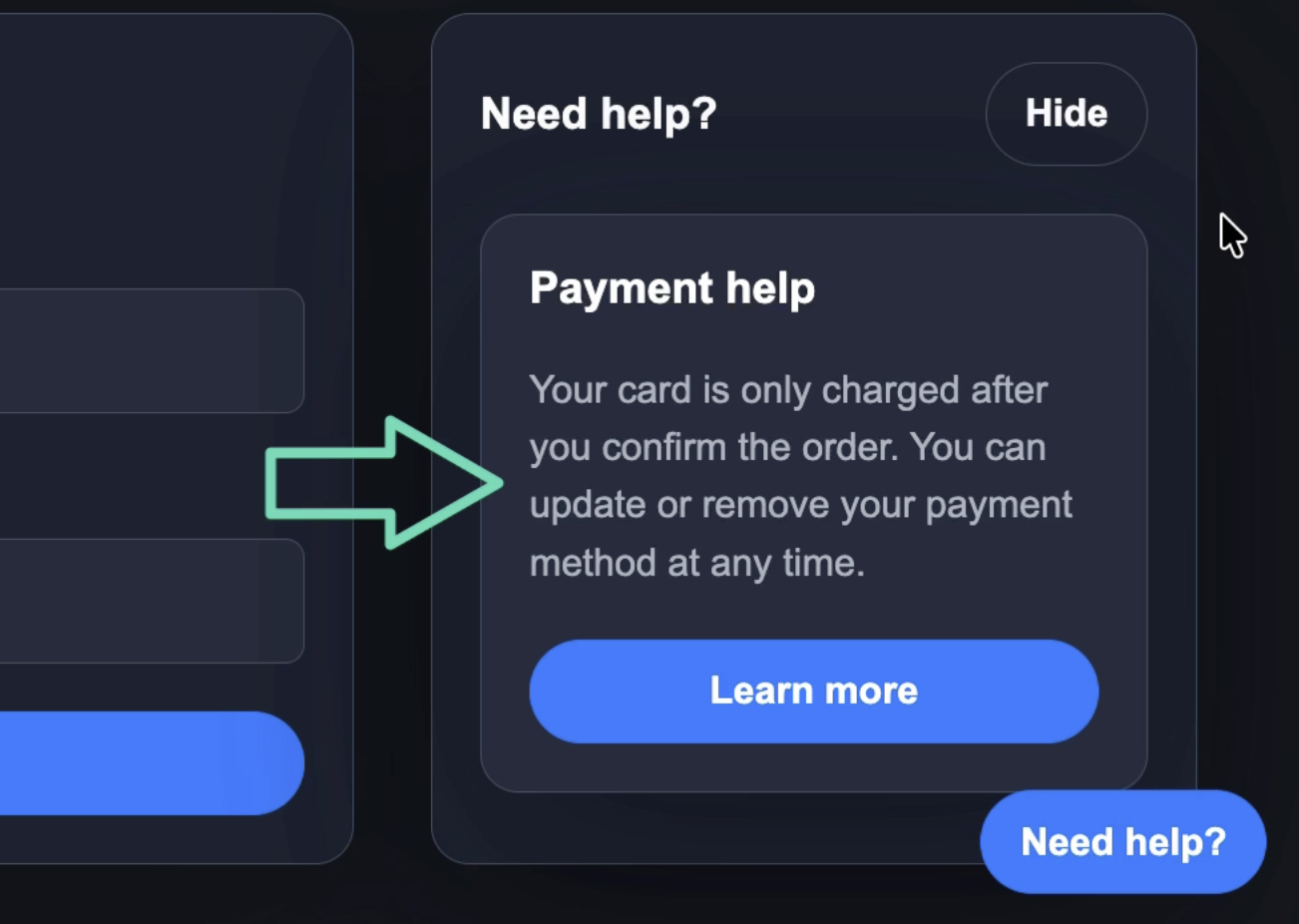
This is done dynamically using the Angular CDK Portal API.
It works, but currently, there’s a problem.
The component is rendered dynamically, but the host element doesn’t describe what it is.
For this example, we’ll expose the help panel as a named region.
That means it needs:
- A
role="region" - An accessible name with
aria-label - A way to receive focus when it opens
This gets more interesting because we render the same help component in two different places.
First, we render it inline in the checkout sidebar with CdkPortalOutlet.
Then, we render it again as a floating support panel attached directly to the document body with DomPortalOutlet:
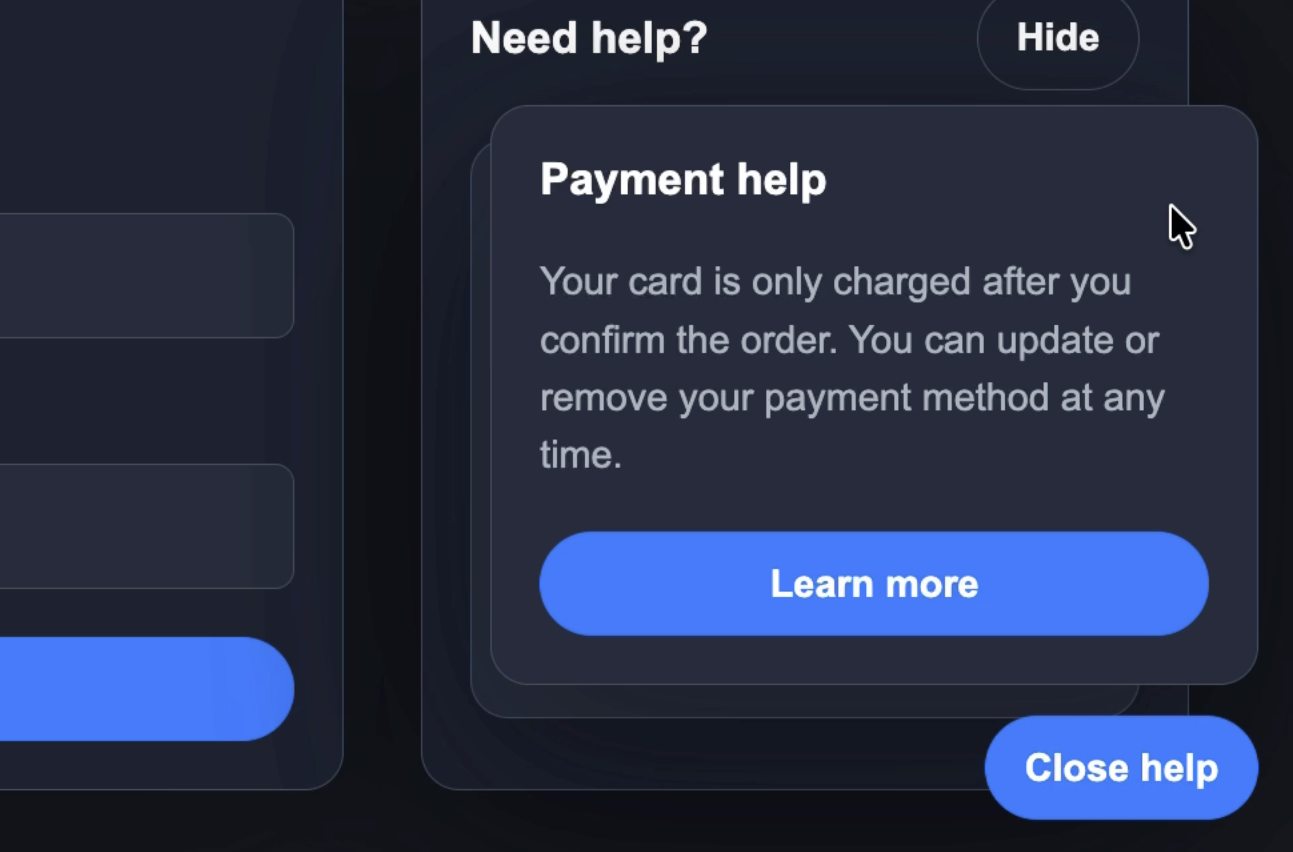
Same component. Different outlet. Different context.
So we need context-specific host behavior, but we don’t want to bake that directly into PaymentHelpComponent.
How the Inline Portal Works
The inline version uses CdkPortalOutlet in the checkout template.
<ng-template [cdkPortalOutlet]="helpPortal()"></ng-template>
Then, in the component, we create the portal only when the help panel should be shown:
protected readonly showHelp = signal(false);

protected readonly helpPortal = computed(() =>
  this.showHelp()
    ? new ComponentPortal(PaymentHelpComponent)
    : null,
);
A ComponentPortal says: “create this Angular component dynamically, and let a portal outlet render it.”
In this case, the destination is part of the Angular template.
The help component gets created inside the checkout sidebar.
How DomPortalOutlet Renders the Floating Portal
The floating version is different.
Instead of rendering into a template outlet, we create a DOM element manually and attach a portal there.
private openSupport() {
  this.hostElement = this.document.createElement('div');
  this.hostElement.classList.add('floating-help');
  this.document.body.append(this.hostElement);

  this.outlet = new DomPortalOutlet(
    this.hostElement,
    this.appRef,
    this.injector,
  );

  this.outlet.attach(
    new ComponentPortal(PaymentHelpComponent),
  );

  this.supportOpen.set(true);
}
This is useful when the content should not be constrained by the current component layout.
The floating support panel is appended to the document body, positioned globally, and managed through the portal outlet.
So now we have two rendering strategies:
// Inline checkout help
new ComponentPortal(PaymentHelpComponent)

// Floating global help
new ComponentPortal(PaymentHelpComponent)
Both render the same component.
Both have the same accessibility problem.
And both need the same host-level behavior.
Create a Directive for the Portal Host
Instead of adding this behavior to the help component itself, we can create a directive.
import {
  afterNextRender,
  Directive,
  ElementRef,
  inject,
  input,
} from '@angular/core';

@Directive({
  selector: '[appPortalPanel]',
  host: {
    role: 'region',
    '[attr.aria-label]': 'ariaLabel()',
    tabindex: '-1',
  },
})
export class PortalPanelDirective {
  readonly ariaLabel = input('');
  private readonly elementRef = inject(ElementRef);

  constructor() {
    afterNextRender(() => {
      this.elementRef.nativeElement.focus();
    });
  }
}
This directive does three things.
First, it adds the region role.
role: 'region',
Then it binds the aria-label from an input.
'[attr.aria-label]': 'ariaLabel()',
And finally, it adds tabindex="-1" so the panel can receive programmatic focus without adding it to the normal tab order.
tabindex: '-1',
The focus behavior happens after Angular finishes rendering.
afterNextRender(() => {
  this.elementRef.nativeElement.focus();
});
This is the behavior we want, but the important part is where we apply it.
We don’t want to modify PaymentHelpComponent.
That component should stay focused on its own content.
No role. No aria-label. No focus logic.
That’s all contextual behavior, so we’ll attach it from the portal instead.
Add a Directive to ComponentPortal
Angular 22 adds directive support to ComponentPortal.
That means we can apply one or more directives to the dynamically-created component host.
Here’s what it looks like:
protected readonly helpPortal = computed(() =>
  this.showHelp()
    ? new ComponentPortal(
      PaymentHelpComponent,
      null,
      null,
      null,
      undefined,
      [
        {
          type: PortalPanelDirective,
          bindings: [
            inputBinding('ariaLabel', () => 'Payment help for checkout'),
          ],
        },
      ],
    )
    : null,
);
Yes, the constructor call is a little verbose because the new directive support is currently the sixth argument.
So we pass through the earlier optional arguments:
new ComponentPortal(
  PaymentHelpComponent,
  null,      // viewContainerRef
  null,      // injector
  null,      // projectableNodes
  undefined, // bindings
  [
    // Directives
  ],
)
The key part is the directives array:
[
  {
    type: PortalPanelDirective,
    bindings: [
      inputBinding('ariaLabel', () => 'Payment help for checkout'),
    ],
  },
]
The type tells Angular which directive to apply.
The bindings array lets us configure that directive.
In this case, we use inputBinding() to pass a value into the directive’s ariaLabel input.
So when Angular creates PaymentHelpComponent, it also applies PortalPanelDirective to the component host.
That gives us the role, label, tabindex, and focus behavior without changing the help component at all.
Reuse the Same Directive with DomPortalOutlet
Now we can apply the same idea to the floating support launcher.
this.outlet.attach(
  new ComponentPortal(
    PaymentHelpComponent,
    null,
    null,
    null,
    undefined,
    [
      {
        type: PortalPanelDirective,
        bindings: [
          inputBinding('ariaLabel', () => 'Floating payment help'),
        ],
      },
    ],
  ),
);
This is the same component.
It uses the same directive.
But now the label is different because the rendering context is different.
inputBinding('ariaLabel', () => 'Floating payment help')
That’s the real benefit.
The component stays reusable, and the portal decides what host behavior makes sense for the place where the component is being rendered.
The Result: Host Behavior Travels with the Portal
After this change, the inline checkout help panel receives the host behavior automatically.
When it opens, it gets focus.
And when we inspect the generated host element, it now includes the attributes we need:
<app-payment-help
  role="region"
  aria-label="Payment help for checkout"
  tabindex="-1">
</app-payment-help>
The floating panel gets the same behavior too:
<app-payment-help
  role="region"
  aria-label="Floating payment help"
  tabindex="-1">
</app-payment-help>
So even though these panels are rendered through different portal outlets, the portal carries the directive configuration with it.
Final Thoughts
ComponentPortal is no longer just about dynamically rendering a component.
In Angular 22, it can also bring the host behavior that component needs for a specific context.
That’s especially useful when the same component can appear in multiple places.
The component stays clean.
The directive stays reusable.
And the portal becomes the place where dynamic rendering and context-specific behavior come together.
Get Ahead of Angular’s Next Shift
Angular’s newest APIs are changing the way we build.
If you’re ready to go deeper with one of the biggest shifts in modern Angular, my Signal Forms course will help you get comfortable with the new forms model.
You can access it either directly or through YouTube membership, whichever works best for you:
👉 Buy the course
👉 Get it with YouTube membership