Prevent CSS Variable Collisions Between Angular Apps
CSS custom properties are great for theming, but they can create subtle problems when multiple Angular apps share the same page. If two apps use the same variable name, one can accidentally inherit the other’s value. Angular’s new CSS variable namespacing gives each app its own set of custom properties while still letting you intentionally share global design tokens.
The CSS Variable Collision Problem
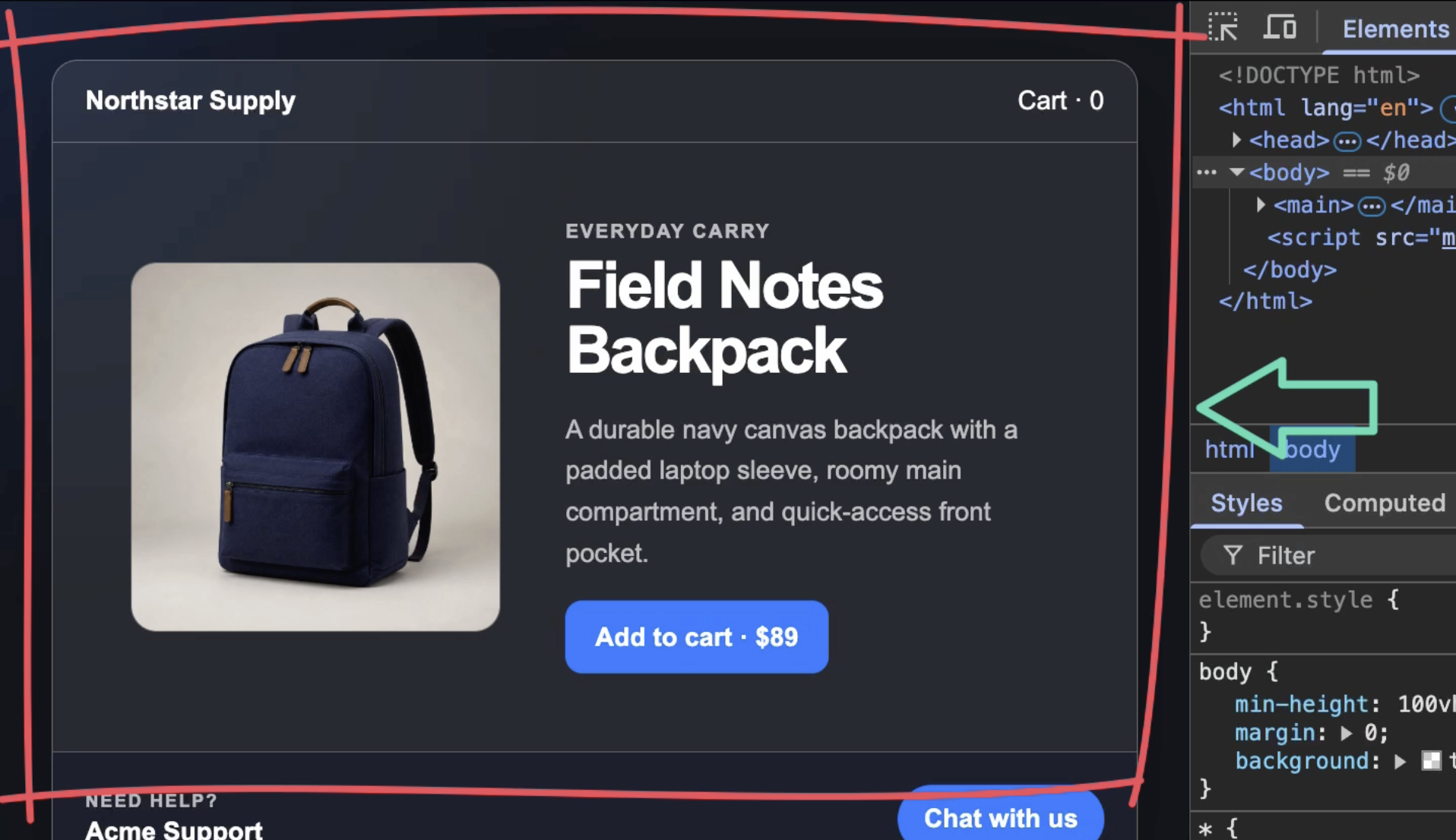
This demo includes two Angular applications on the same page: a storefront app:
And a nested support widget app:
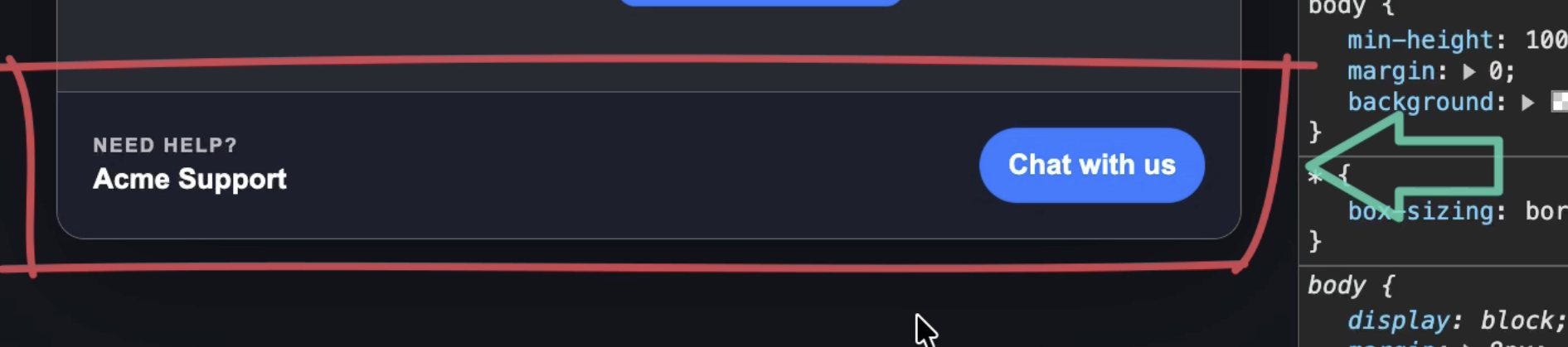
You could run into a similar setup with microfrontends, an embedded widget, a CMS page, or a support experience maintained by another team.
The storefront defines a generic --primary-color custom property on its host and the add-to-cart button uses it:
:host {
  --primary-color: #007bff;
}

.primary-button {
  background: var(--primary-color);
}
The support widget uses a custom property with the same name, but it expects to fall back to purple when that property isn’t defined:
button {
  background: var(--primary-color, #7c3aed);
}
Because CSS custom properties inherit, the support widget receives the storefront’s blue value.
Its purple fallback is never used.
Why Angular Style Encapsulation Doesn’t Prevent It
Angular’s component style encapsulation scopes selectors, but it doesn’t make custom property names private.
The browser still sees --primary-color as an inheritable CSS property.
That matters here because the support widget is nested inside the storefront markup:
<section class="store">
  <!-- Storefront content -->
  <support-widget></support-widget>
</section>
The two applications are separate Angular apps, but they still share the same DOM tree.
From the browser’s perspective, the support widget is a descendant of the storefront and can inherit its variables.
Enable CSS Variable Namespacing
The new provideCssVarNamespacing() provider lets Angular rewrite custom property names with an app-specific namespace.
This API is available in the Angular 22.1.0-next.5 pre-release used by the demo and comes from the Angular CSS variable namespacing change.
To enable it, add the provider to the bootstrapApplication call and pass in a different namespace for each app:
import { ..., provideCssVarNamespacing } from '@angular/platform-browser';

bootstrapApplication(Storefront, {
  providers: [
    provideCssVarNamespacing('store'),
  ],
});

bootstrapApplication(SupportWidget, {
  providers: [
    provideCssVarNamespacing('support'),
  ],
});
Angular will now transform the same original variable name differently for each application.
The storefront’s --primary-color belongs to the store namespace, while the widget’s belongs to support.
The add-to-cart button stays blue, but the support button no longer sees that value:
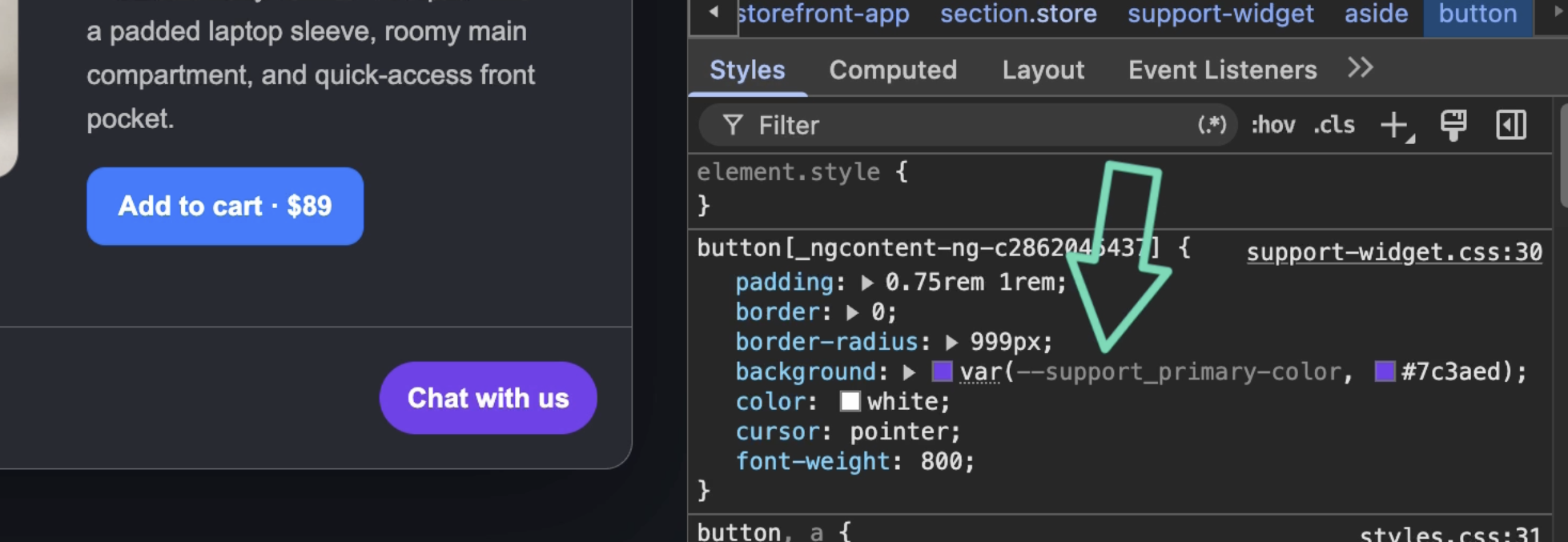
Since the support app doesn’t define its own primary color, the browser correctly uses the purple fallback.
Keep Intentional Global Variables
So this is cool, but not every custom property should be isolated, right?
In this demo, the support widget’s background is supposed to use the page-level --color-surface-muted theme token:
:host {
  background: var(--color-surface-muted);
}
Once namespacing is enabled, Angular treats that property as part of the support app too:
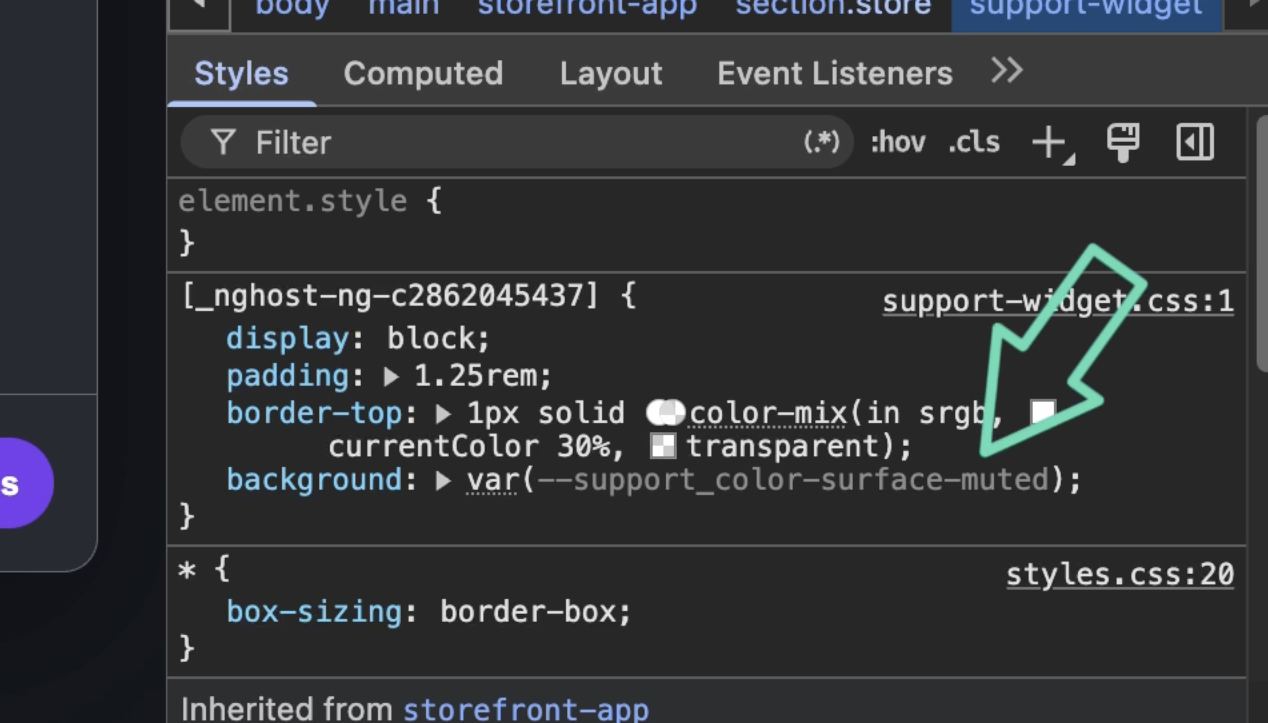
To opt it out, we just need to prefix the reference with --global--:
:host {
  background: var(--global--color-surface-muted);
}
Angular now compiles that back to the unprefixed --color-surface-muted property.
This means the widget can intentionally inherit the shared page token while its other variables remain isolated:
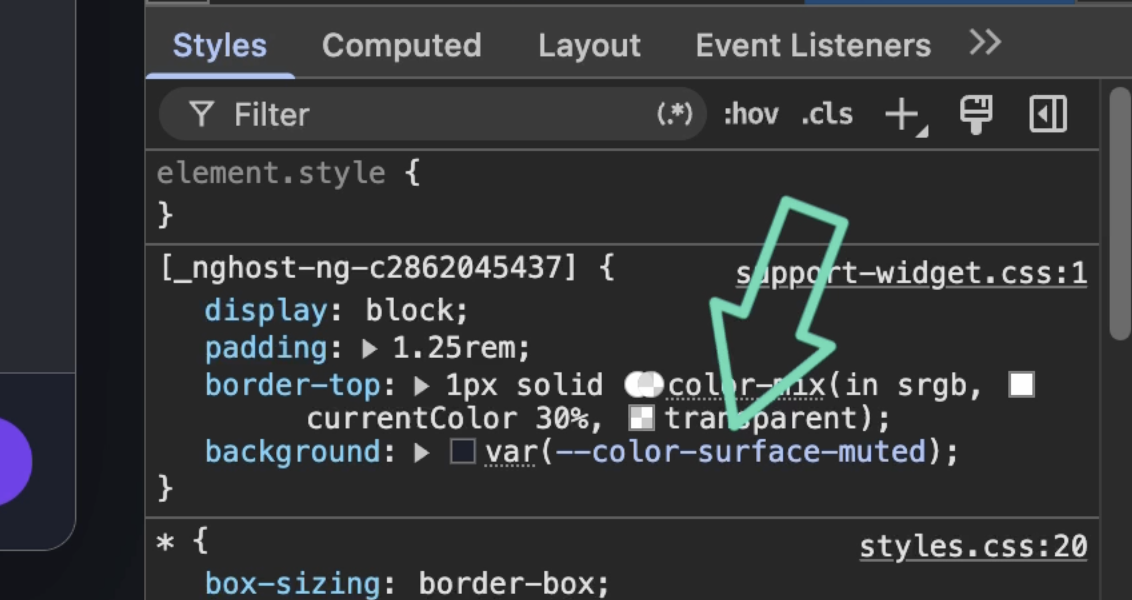
This gives you control over both cases:
- Use normal custom property names for tokens that should stay inside an Angular app.
- Use the
--global--prefix for tokens that should cross app boundaries.
The Final Result
CSS variable namespacing solves a problem that Angular’s normal selector encapsulation can’t: accidental custom property inheritance between independently owned apps.
It’s especially useful for microfrontends and embedded widgets where generic token names such as --primary-color are likely to overlap.
Each app can keep its internal tokens isolated, while the global prefix preserves the small set of theme values you actually want to share.
Get Ahead of Angular’s Next Shift
Angular’s newest APIs are changing the way we build.
If you’re ready to go deeper with one of the biggest shifts in modern Angular, my Signal Forms course will help you get comfortable with the new forms model.
You can access it either directly or through YouTube membership, whichever works best for you:
👉 Buy the course
👉 Get it with YouTube membership


