Angular Material Dialogs Now Support Real Component Bindings
Angular Material dialogs just got a practical upgrade. In Angular 22, dialogs can now bind directly to component inputs, outputs, and model inputs. That means we can build one reusable component, use it inline, and then open that same component inside a dialog without creating a special wrapper component.
The Problem
In this demo, we have a reusable notification settings component.
It needs three things:
readonly user = input<User | null>(null);
readonly enabled = model(false);
readonly saved = output<NotificationSettingsSaved>();
So inline, we can use it like this:
<app-notification-settings
  [user]="user()"
  [(enabled)]="notificationsEnabled"
  (saved)="saveNotificationSettings($event)"
/>
This is normal Angular component communication.
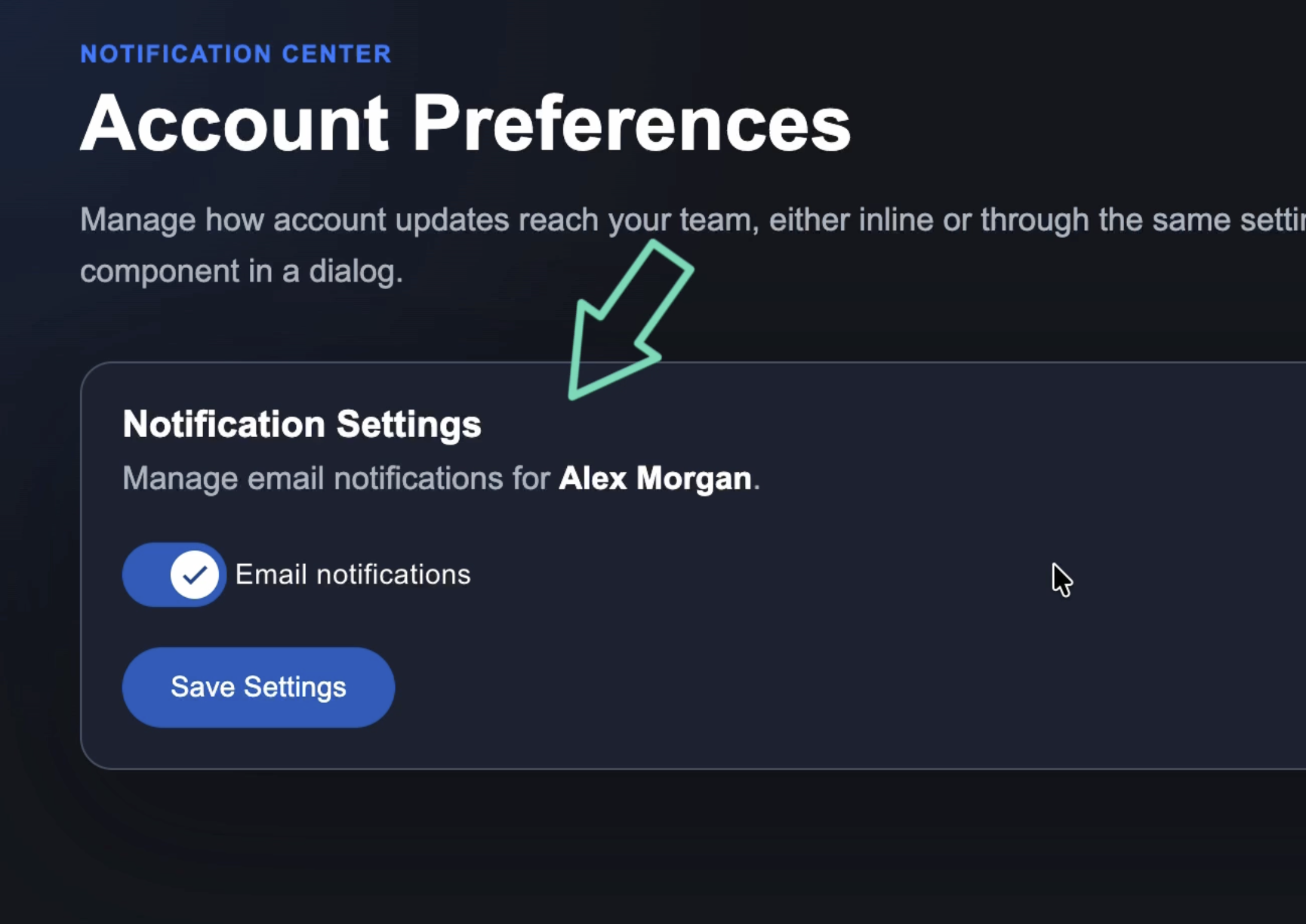
The parent passes in the user, keeps the notification value synced, and listens for the save event.
But when we open that same component in an Angular Material dialog, things are different:
protected openSettingsDialog() {
  this.dialog.open(NotificationSettingsComponent, {
    width: '28rem',
    panelClass: 'settings-dialog',
  });
}
The component renders, but it is disconnected:
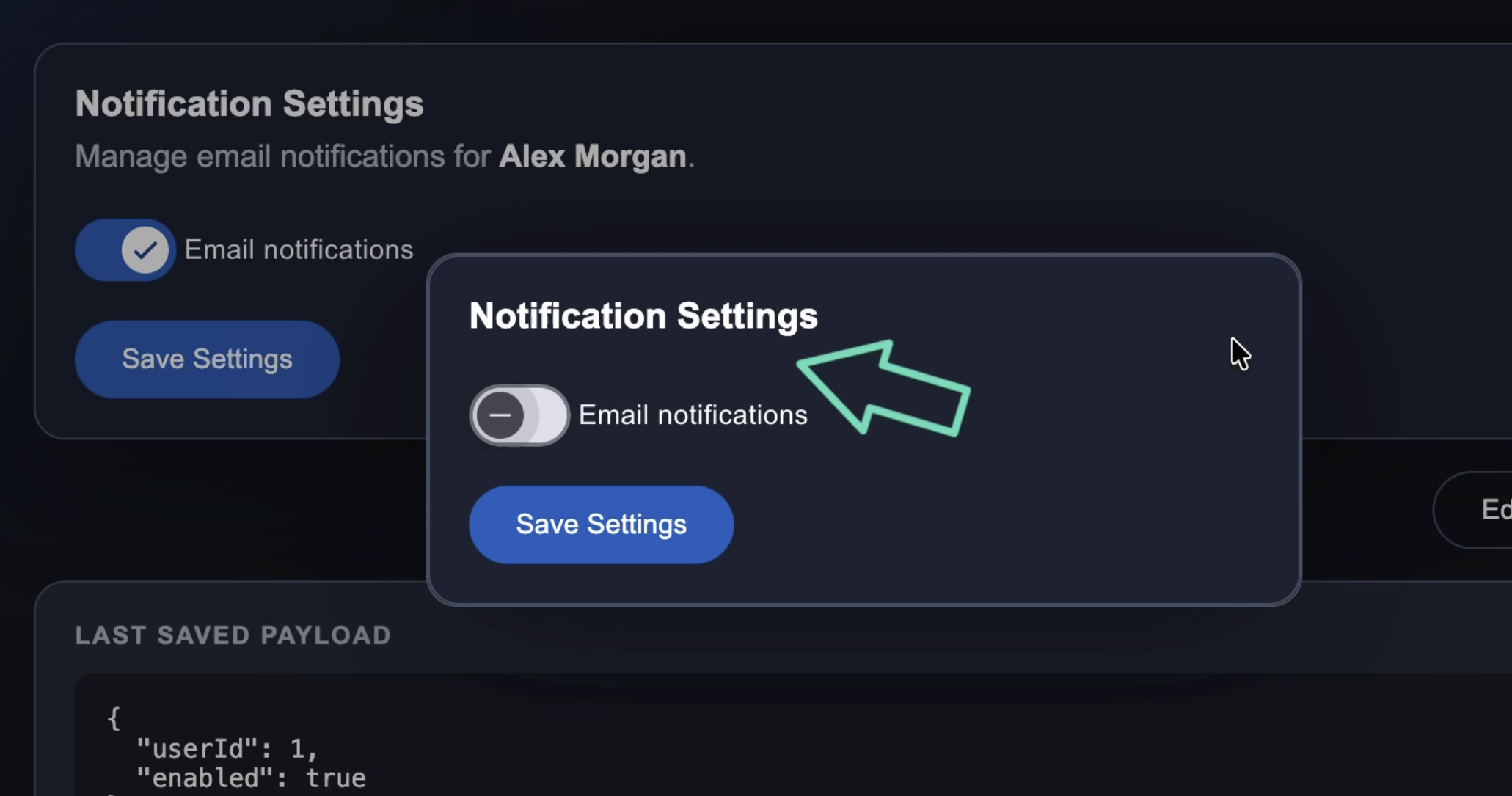
It does not receive the user input.
It does not sync the enabled model input value.
And the parent does not listen for the saved output.
So the goal is simple: use the same component API inside the dialog that we already use inline.
The Reusable Component
Here’s the notification settings component:
@Component({
  selector: 'app-notification-settings',
  imports: [MatButtonModule, MatSlideToggleModule],
  templateUrl: './notification-settings.html',
  styleUrl: './notification-settings.css',
})
export class NotificationSettingsComponent {
  readonly user = input<User | null>(null);
  readonly enabled = model(false);
  readonly saved = output<NotificationSettingsSaved>();

  protected save() {
    if (this.user()) {
      this.saved.emit({
        userId: this.user()!.id,
        enabled: this.enabled(),
      });
    }
  }
}
And here’s the template:
<section class="settings-card">
  <div>
    <h2>Notification Settings</h2>

    @if (user()) {
      <p>
        Manage email notifications for
        <strong>{{ user()!.name }}</strong>.
      </p>
    }
  </div>

  <mat-slide-toggle
    [checked]="enabled()"
    (change)="enabled.set($event.checked)">
    Email notifications
  </mat-slide-toggle>

  <button matButton="filled" (click)="save()">
    Save Settings
  </button>
</section>
The important thing here is that this component knows nothing about dialogs.
It does not inject MAT_DIALOG_DATA.
It does not need MatDialogRef.
It is just a regular Angular component with inputs, a model input, and an output.
Add Dialog Bindings
In Angular 22, MatDialog supports a new bindings array.
This lets us bind to the component that gets rendered inside the dialog using inputBinding(), outputBinding(), and twoWayBinding():
import {
  inputBinding,
  outputBinding,
  twoWayBinding,
} from '@angular/core';

// ...

protected openSettingsDialog() {
  this.dialog.open(NotificationSettingsComponent, {
    width: '28rem',
    panelClass: 'settings-dialog',
    bindings: [
      inputBinding('user', this.user),
      outputBinding<NotificationSettingsSaved>('saved', settings => {
        this.saveNotificationSettings(settings);
      }),
      twoWayBinding('enabled', this.notificationsEnabled),
    ],
  });
}
What Each Binding Does
This passes the current user into the dialog component:
inputBinding('user', this.user)
It is the programmatic version of this:
[user]="user()"
This listens for the save event:
outputBinding<NotificationSettingsSaved>('saved', settings => {
  this.saveNotificationSettings(settings);
})
It is the programmatic version of this:
(saved)="saveNotificationSettings($event)"
And this keeps the model input synced:
twoWayBinding('enabled', this.notificationsEnabled)
It is the programmatic version of this:
[(enabled)]="notificationsEnabled"
So now the dialog component receives the user, starts with the correct notification value, updates the parent signal when the toggle changes, and emits the same save event as the inline version.
The Final Result
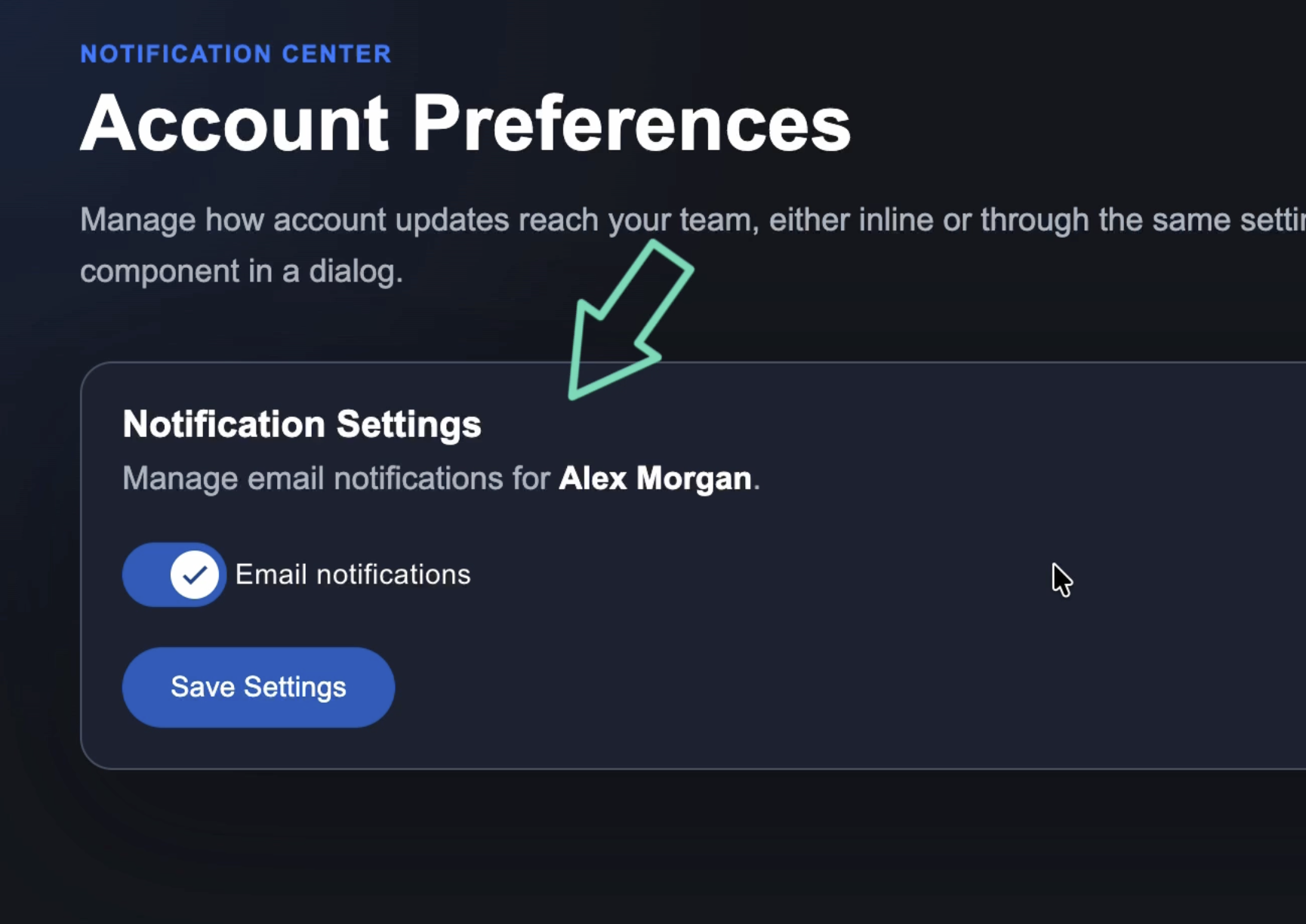
Now we can use the same component in both places.
Inline:
<app-notification-settings
  [user]="user()"
  [(enabled)]="notificationsEnabled"
  (saved)="saveNotificationSettings($event)"
/>
And inside a dialog:
this.dialog.open(NotificationSettingsComponent, {
  width: '28rem',
  panelClass: 'settings-dialog',
  bindings: [
    inputBinding('user', this.user),
    outputBinding<NotificationSettingsSaved>('saved', settings => {
      this.saveNotificationSettings(settings);
    }),
    twoWayBinding('enabled', this.notificationsEnabled),
  ],
});
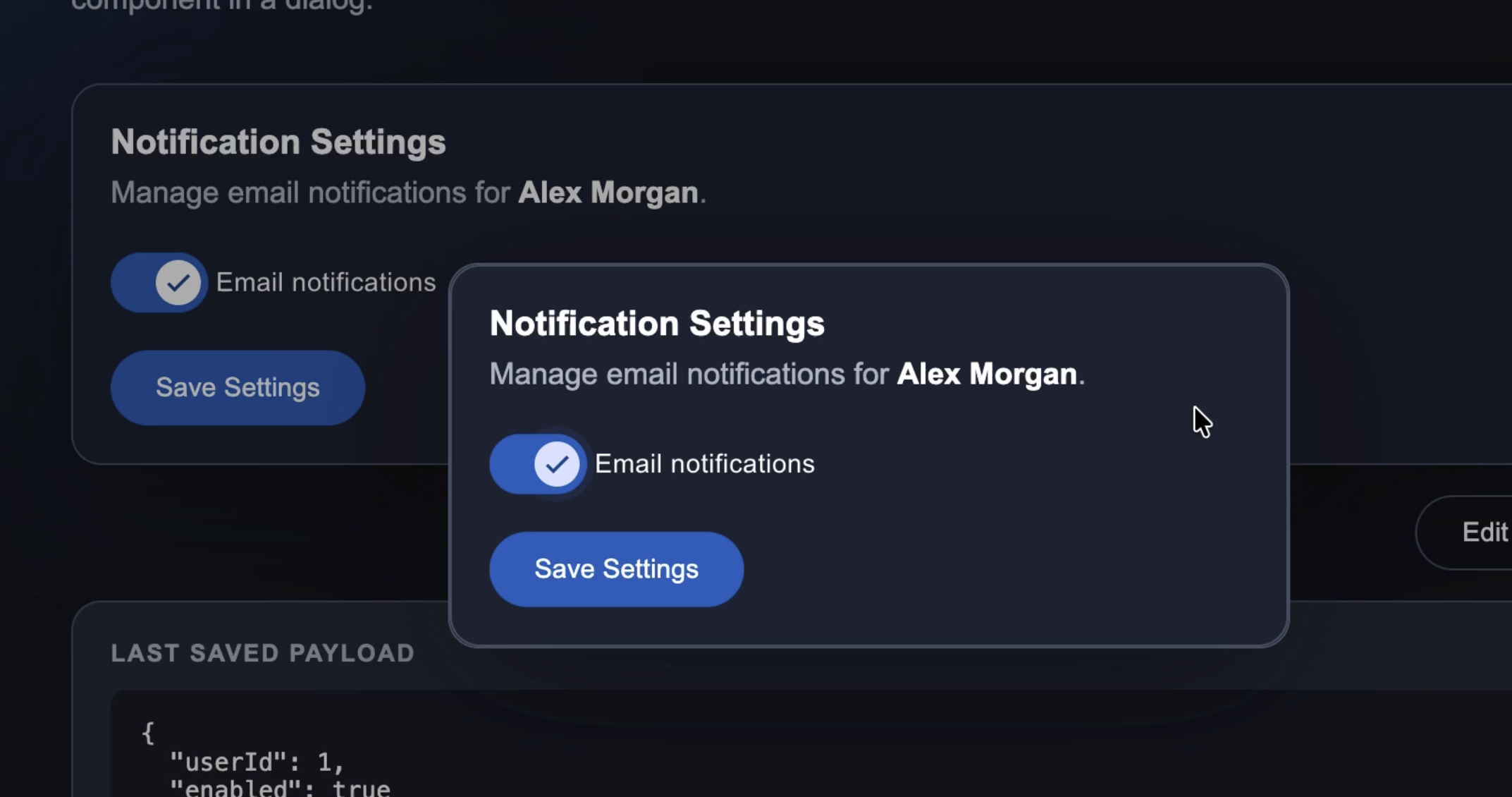
No wrapper component.
No dialog-specific API.
No manual component instance wiring.
Just one reusable component with a clean Angular API.
Final Thoughts
This is a small feature, but it makes dynamic components feel much more like components used directly in a template.
With inputBinding(), outputBinding(), and twoWayBinding(), Angular Material dialogs can now work with the same component contracts we already use everywhere else.
Build the component normally, then let the dialog bind to it.
Get Ahead of Angular’s Next Shift
Angular’s newest APIs are changing the way we build.
If you’re ready to go deeper with one of the biggest shifts in modern Angular, my Signal Forms course will help you get comfortable with the new forms model.
You can access it either directly or through YouTube membership, whichever works best for you:
👉 Buy the course
👉 Get it with YouTube membership