TypeScript

Signal Forms Just Got Automatic State Classes (And More)

Signal Forms Just Got Automatic State Classes (And More)

December 04, 2025

Reactive Forms automatically apply state classes like ng-touched, ng-dirty, and ng-valid, but Signal Forms initially lacked this feature. Recent Angular updates restored automatic state classes with full customization capabilities, allowing you to configure class names, add custom states, and control when classes are applied. This tutorial demonstrates how to enable and customize Signal Forms state classes, going beyond what Reactive Forms ever allowed.

I Added Cross-Field Validation with Signal Forms. This is How I Did It

I Added Cross-Field Validation with Signal Forms. This is How I Did It

November 27, 2025

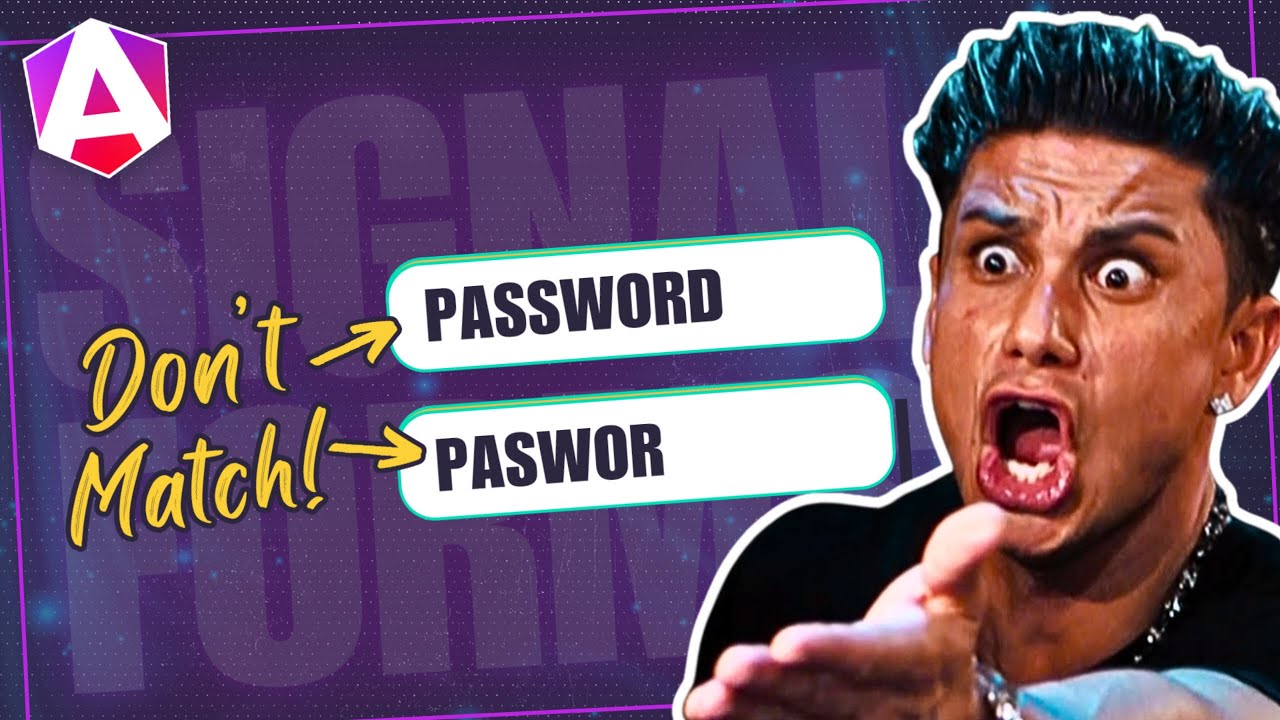
Cross-field validation in Reactive Forms requires validator functions at the form level, making validation logic scattered and hard to maintain. Angular's Signal Forms API simplifies cross-field validation by allowing validators to access other field values directly using valueOf, keeping validation logic colocated with form definitions. This tutorial demonstrates how to build password confirmation validators and other cross-field validations using Signal Forms' validate() function.

Async Validation in Angular Signal Forms (Complete Guide)

Async Validation in Angular Signal Forms (Complete Guide)

November 20, 2025

Async validation in Reactive Forms requires separate validator functions, manual debouncing, and complex pending state management. Angular's Signal Forms API simplifies async validation with validateAsync() and resource(), providing built-in debouncing, pending states, and cleaner error handling. This tutorial demonstrates how to implement async validation in Signal Forms, including server-backed username checks, real-time feedback, and proper pending state management.

Your First Custom Validator in Angular Signal Forms (Step-By-Step)

Your First Custom Validator in Angular Signal Forms (Step-By-Step)

November 13, 2025

Custom validators are essential for real-world forms, but implementing them with Reactive Forms requires separate validator functions and complex error handling. Angular's Signal Forms API simplifies custom validation by integrating validators directly into form definitions with cleaner syntax and better type safety. This tutorial demonstrates how to migrate custom validators from Reactive Forms to Signal Forms, showing how the new API makes validation logic more maintainable and reactive.

"Reactive Forms Are Just as Good." Okay, Watch This.

November 06, 2025

Reactive Forms work, but complex forms become messy with imperative state management, verbose error handling, and scattered validation logic. Angular's Signal Forms API provides a cleaner, more reactive approach that reduces code complexity, improves type safety, and simplifies form state management. This tutorial demonstrates a real-world form migration, showing side-by-side comparisons that highlight why Signal Forms are better for modern Angular applications.

Animation Start/Done? Dead. Long Live CSS + DOM Events

Animation Start/Done? Dead. Long Live CSS + DOM Events

October 02, 2025

Angular's deprecated animations module provided start and done events for coordinating animations with component logic, but modern Angular requires a different approach. This tutorial demonstrates how to replace animation start/done events using pure CSS keyframes, Angular signals, and standard DOM events. You'll learn how to detect animation completion, coordinate multiple animations, and trigger side effects when animations finish, all without the deprecated module.

Make Any List Keyboard-Friendly in Minutes

Make Any List Keyboard-Friendly in Minutes

September 25, 2025

Keyboard navigation in lists requires handling arrow keys, home/end keys, type-ahead search, and focus management, but implementing this manually is complex and error-prone. The Angular CDK ListKeyManager provides a complete solution for keyboard-accessible lists, handling all navigation patterns automatically. This tutorial demonstrates how to use ListKeyManager to make any list keyboard-friendly, ensuring your Angular applications are accessible to all users without manual keyboard event handling.

I Built the Smoothest Countdown Timer in Angular

I Built the Smoothest Countdown Timer in Angular

August 14, 2025

Session timeout warnings prevent users from losing unsaved work by providing clear countdown feedback before automatic logout. Building effective session timers requires real-time countdown logic, visual feedback with animations, and color-coded warnings that escalate as time runs out. This tutorial demonstrates how to build a session timer component in Angular with smooth animations, progressive visual warnings, and clear messaging that keeps users informed.

One Slot? Two Slots? Conditional Slots? Solved.

One Slot? Two Slots? Conditional Slots? Solved.

July 10, 2025

Multi-slot content projection in Angular enables flexible component APIs, but managing multiple slots, conditional projection, and fallback content requires understanding Angular's content projection system. This tutorial demonstrates how to create components with multiple named slots, handle conditional content projection, provide fallback content when slots are empty, and conditionally render the same slot in different locations based on component state.

Can linkedSignal Use Multiple Sources? Yes, Here’s How!

Can linkedSignal Use Multiple Sources? Yes, Here’s How!

July 03, 2025

Combining multiple reactive sources in Angular often requires complex RxJS operator chains, creating hard-to-maintain code. Angular's linkedSignal() simplifies this by creating writable signals that derive from multiple sources, enabling two-way binding scenarios and complex reactive patterns without Observable complexity. This tutorial demonstrates how to use linkedSignal() to combine multiple signals, create reactive two-way bindings, and build modern Angular components with cleaner, more maintainable code.

You Might Not Need That Service After All 💉

You Might Not Need That Service After All 💉

May 15, 2025

Component communication in Angular often requires prop drilling with inputs/outputs or global services, creating tight coupling and maintenance headaches. Angular's dependency injection system allows you to inject parent or grandparent components directly, eliminating the need for intermediate props or shared services. This tutorial demonstrates how to use component injection to access parent component APIs, share context across component hierarchies, and simplify component communication patterns.

Nobody Wants to See a Blank Screen… Build Smarter Loaders!

Nobody Wants to See a Blank Screen… Build Smarter Loaders!

May 08, 2025

Blank screens and generic spinners create poor user experiences, making apps feel slow even when they're loading quickly. Skeleton loaders improve perceived performance by showing UI structure immediately, providing visual feedback, and creating smooth transitions to real content. This tutorial demonstrates how to build skeleton loaders using Angular's deferred loading, signals for state management, and animations for smooth transitions. Note: This uses Angular's deprecated animations module—modern alternatives are available.

Still Using ControlValueAccessor? It Might Be Overkill 🤷

Still Using ControlValueAccessor? It Might Be Overkill 🤷

May 01, 2025

ControlValueAccessor requires multiple interface methods, providers, and boilerplate code, making simple custom form controls unnecessarily complex. Modern Angular provides simpler alternatives using signal inputs and direct FormControl bindings, eliminating the need for ControlValueAccessor in many cases. This tutorial demonstrates how to build custom form controls without ControlValueAccessor, reducing code complexity while maintaining full form integration and validation support.

How Angular Components Should Communicate in 2025

How Angular Components Should Communicate in 2025

April 10, 2025

Component communication in Angular has evolved from traditional inputs/outputs to modern two-way binding with model inputs, reducing boilerplate and simplifying parent-child data flow. This tutorial demonstrates three component communication patterns: one-way data flow with inputs/outputs, two-way binding with model inputs, and when to use each approach. You'll learn how to implement real-time communication between parent and child components using modern Angular patterns.

Angular Directive Composition API: Enhance Components with Host Directives (v19+)

Angular Directive Composition API: Enhance Components with Host Directives (v19+)

March 27, 2025

Applying multiple directives to components creates verbose templates and makes it easy to forget required directives. Angular's Directive Composition API lets you embed directives directly into components, creating reusable component behaviors that can't be accidentally omitted. This tutorial demonstrates how to use host directives to add functionality like auto-focus, click-outside detection, and accessibility features directly into components, reducing template complexity and improving maintainability.

Angular Reactive Forms: Build Dynamic Checkbox Lists

Angular Reactive Forms: Build Dynamic Checkbox Lists

March 20, 2025

Dynamic checkbox lists are common in Angular forms, but building them with proper state management and "Select All" functionality requires understanding Reactive Forms patterns. This tutorial shows you how to generate checkbox controls dynamically from data, track selected values reactively, and implement a master "Select All" checkbox that toggles all items at once. You'll learn how to handle form state, validation, and user interactions efficiently.

Angular Component Styling: Every Way to Add Styles (Complete Guide)

Angular Component Styling: Every Way to Add Styles (Complete Guide)

March 06, 2025

Angular offers multiple ways to add styles to components, each with different use cases and trade-offs. From inline styles in the decorator to external stylesheets, from programmatic styling with Renderer2 to CSS custom properties, choosing the right approach impacts maintainability and performance. This comprehensive guide walks through every styling method available in Angular, helping you make informed decisions for your components.

Angular View vs Content: Understanding Signal Queries

Angular View vs Content: Understanding Signal Queries

February 20, 2025

The difference between "view" and "content" in Angular trips up many developers, leading to queries that don't work as expected. Understanding this distinction is crucial for working with signal queries like viewChild() and contentChild(). This tutorial explains the fundamental difference: "view" refers to a component's own template, while "content" refers to projected content from parent components. You'll learn when to use each query type and how to avoid common mistakes.

Angular Component Selectors: Complete Guide to Element, Attribute, and Class Selectors

Angular Component Selectors: Complete Guide to Element, Attribute, and Class Selectors

January 30, 2025

Choosing the wrong component selector in Angular creates maintenance issues, breaks encapsulation, and limits component flexibility. Angular supports three selector types—element, attribute, and class—each with different use cases and trade-offs. This tutorial demonstrates all component selector options in Angular, helping you choose the right selector for your component based on reusability, styling needs, and integration requirements.

Angular SVG Components: Create Dynamic Interactive Graphics

Angular SVG Components: Create Dynamic Interactive Graphics

January 09, 2025

SVG components in Angular unlock powerful possibilities for data visualization and interactive graphics. Unlike static images, SVG components can respond to data changes, user interactions, and state updates in real time. This tutorial shows you how to transform basic lists into dynamic, interactive SVG charts using Angular's component system, signal-based reactivity, and template binding. You'll learn how to create scalable, data-driven visualizations that update automatically.